
Appearance
Troubleshooting
Find your symptom and work the steps in order. For a specific customer-facing message, check the Error reference first.
The addon page is blank, shows only the license field, or "Access Denied"
- Grant admin access. WHMCS addon pages require Full Administrator access. Confirm your admin role is granted access to RelyPay under Configuration → System Settings → Administrator Roles.
- Activate the license. On first access RelyPay shows only the License Information form until a valid key is Active — the Dashboard, Providers and Routing tabs appear once it is. See Licensing.
Sync Required, or a checkout method is missing
Deployed files no longer match what RelyPay expects.
- Addons → RelyPay → Global Settings → Sync Manager.
- In Deployment Sync Status, use the per-component Sync action on any out-of-date row, or run a full re-sync.
- Check Vendor Dependencies — a missing provider path means that provider's files were not deployed; re-sync to restore them.
- Open File Integrity — it checks deployed files against a signed snapshot; re-sync anything it flags.
Healthy state reads: "All providers, sub-gateways, and deployed files are up to date."
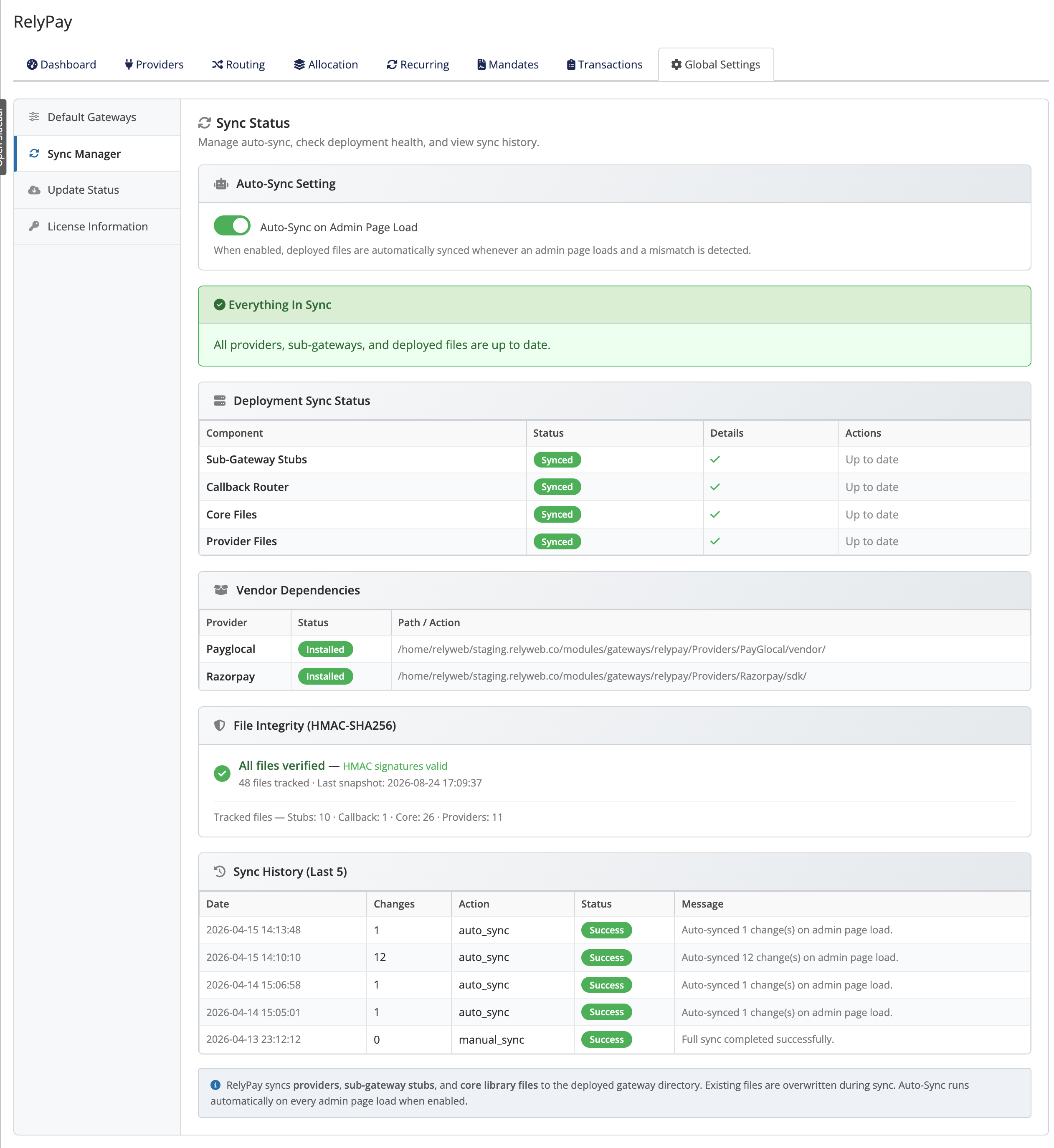 Addons → RelyPay → Global Settings → Sync Manager
Automate it
Enable Auto-Sync on Admin Page Load so mismatches self-correct on the next admin page.
Payments are failing
- Check Transactions (Addons → RelyPay → Transactions) — filter by provider/status to see which provider handled the attempt and how it ended.
- Test the provider credentials — Providers → open the provider → Test Connection. Expired keys are the most common cause.
- Confirm the webhook is registered in the provider dashboard with the events from the provider's config page. A missing webhook lets a payment succeed at the provider but never finalise in WHMCS.
- Check the Activity Log (Utilities → Logs → Activity Log) for "Signature verification failed" or "Webhook signature mismatch" — a wrong or missing webhook secret.
HTTPS required
Webhooks only reach a secure endpoint. Without valid HTTPS, webhooks fail and payments never finalise.
Routing picks the wrong provider (or never uses one)
- Review routing rules (Addons → RelyPay → Routing). Layers are evaluated in a fixed order and the first match wins — a broad currency or amount rule can win before the one you expected.
- Confirm the provider is enabled and fully configured on Providers — a half-configured provider is silently skipped.
- Check the fallback chain (set separately for INR and non-INR) names a working provider.
- Enable the matching sub-gateway under Setup → Payment Gateways — routing only runs for methods a customer can select.
Updates fail, or Update Now is disabled
Global Settings → Update Status → Check for Updates → Update Now. If it will not apply:
- Addon directory not writable — "Addon directory is not writable": fix permissions on
modules/addons/relypay/. - Backup cannot be verified — "Backup verification failed": ensure
modules/addons/is writable with free disk space (a backup is always taken first). - License — a Leased license must be Active; for Lifetime, Update Now is blocked if Support & Updates has lapsed (the current version keeps working). See Licensing.
- Transient/network — "Unable to check for updates. Could not reach the update server." or download errors: check outbound HTTPS and retry.
A failed update auto-restores files and database from the pre-update backup.
"This product requires the ionCube PHP Loader"
RelyPay is an ionCube-encoded build and needs a compatible loader.
- Ask your host to enable ionCube Loader 13.0.2 or newer for your PHP version.
- It is the same loader WHMCS requires, so a host already running WHMCS almost always has it.
See Requirements.
Still stuck?
Note the exact message and where it appears (checkout / admin / activation), grab the matching Transactions row or Activity Log entry, and contact support.