
Appearance
Relyagent for WHMCS
Relyagent turns your WHMCS installation into a self-hosted Model Context Protocol (MCP) server. It allows AI assistants like Claude, Cursor, and ChatGPT to interact securely with WHMCS data via granular, admin-controlled tools, OAuth 2.0 authentication, and audit logging.
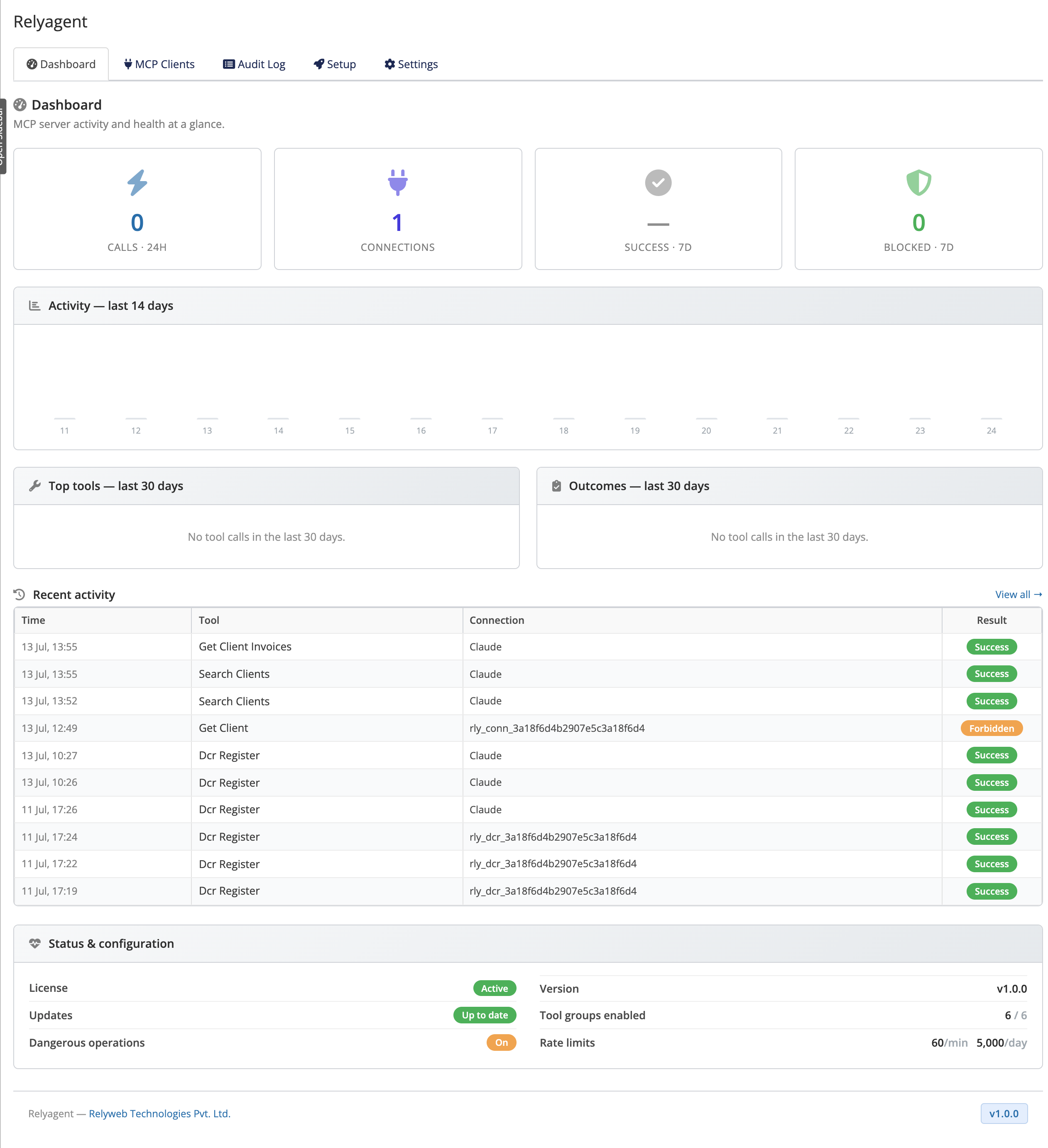 Addons → Relyagent → Dashboard
What is MCP?
The Model Context Protocol (MCP) is an open standard that lets AI assistants call external tools. Relyagent makes your WHMCS one of those tool providers — safely, on your own server, with no data sent anywhere except between your WHMCS and the AI client you connect.
Who it is for
WHMCS administrators who want to query or automate operational workflows using AI assistants (e.g. summarizing tickets, listing overdue invoices, checking service status) without exposing root credentials or developing custom API middleware.
How it works
| Piece | What it is |
|---|---|
| Tools | 62 scope-gated WHMCS actions across 10 groups (clients, tickets, invoices, services, domains, admin, affiliates, email, quotes, orders) |
| Connections | An admin-provisioned link to one AI client, limited to the exact tools you tick, with its own OAuth credentials |
| Guardrails | Native WHMCS admin login + consent, per-call audit log, rate limits, prompt-injection sanitisation, and a dangerous-operations gate |
Administrators create a connection, assign tool permissions, and provision OAuth credentials. Upon connecting, the client resolves endpoints, operators authenticate via the native WHMCS login, and approved tools become callable.
What you can do with it
- AI client connectivity: integrates with Claude Desktop, Claude.ai, Claude Code, Cursor, and ChatGPT (see connection guides).
- Granular permissions: assign specific tools per connection; state-changing tools are protected by a dangerous operations gate.
- Secure access: requires admin-generated secrets and native WHMCS authentication (see Connections & OAuth).
- Comprehensive auditing: logs every call with status indicators, rate limiting, and CSV export (see Audit Log).
- Deployment integrity: features HMAC-SHA256 file integrity checking and one-click updates.
Where to go next
- Requirements — check your server first
- Installation — activate, license, enable connections
- Configuration — create your first connection
- MCP tools — the 10 groups and the dangerous-op gate
- Settings reference · Error reference
New to Relyagent?
Work through Requirements → Installation → Configuration, then open the Setup guide for your AI client.