
Appearance
Dashboard
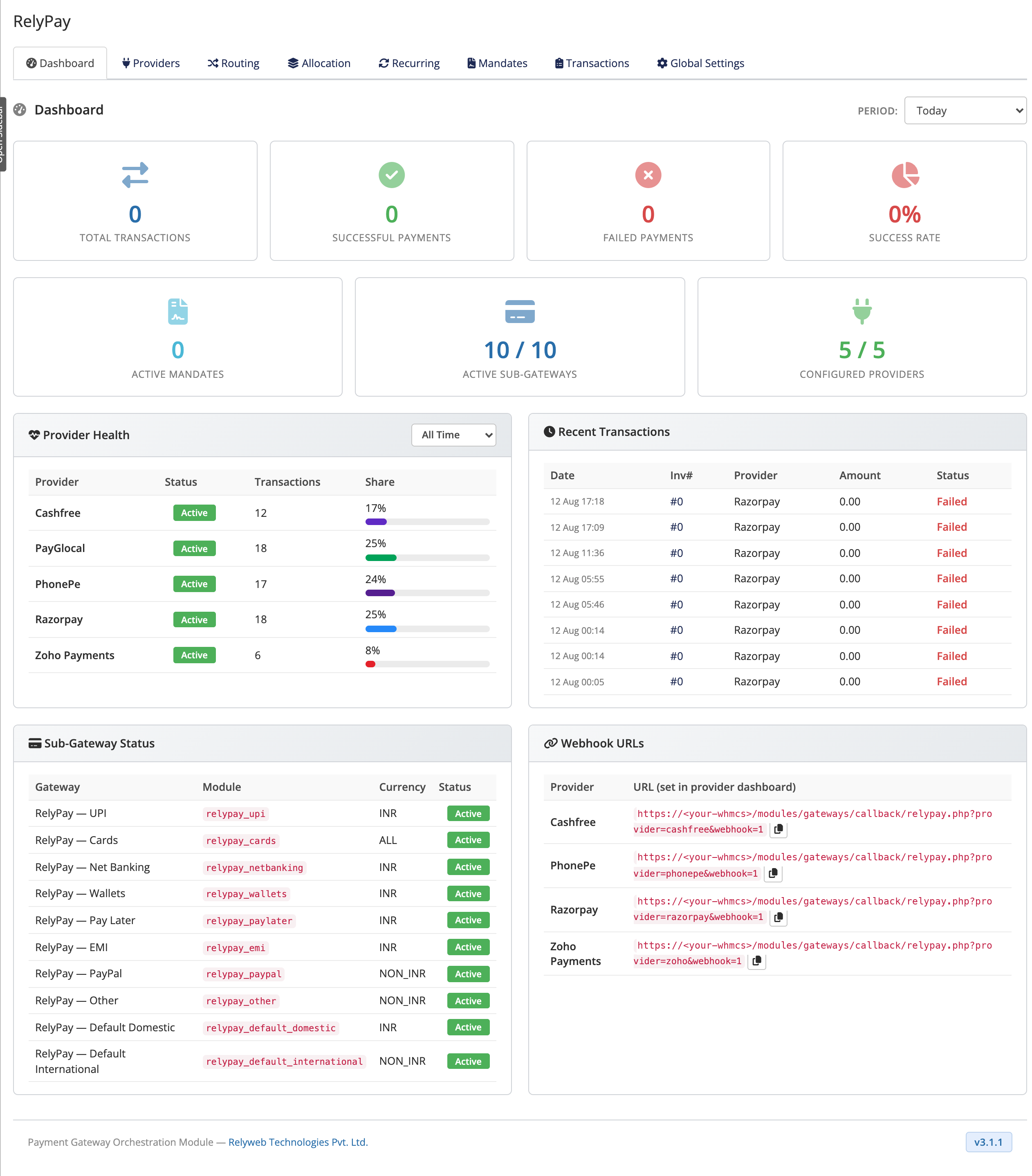
Access the dashboard at Addons → RelyPay → Dashboard. It provides an operational overview of payment processing health and direct access to provider webhook endpoints:
- System monitoring: Real-time visibility into provider health and transaction throughput.
- Webhook references: Direct access to copy endpoint URLs for provider configuration.
 Addons → RelyPay → Dashboard
What it shows
- Provider health — Displays Provider / Status / Transactions / Share to track volume distribution. A period selector switches calculation windows between daily and long-term trends.
- Recent transactions — the latest payments with Date / Inv# / Provider / Amount / Status, colour-coded so a failure stands out. For the full, searchable history use the Transactions page.
- Sub-gateway status — every RelyPay sub-gateway with Gateway / Module / Currency / Status, so you can confirm at a glance which ones are activated under Setup → Payment Gateways and deployed correctly.
- Webhook URLs — a table of Provider / URL listing the exact webhook address to paste into each provider's dashboard. This is the quickest place to copy a webhook URL when connecting a provider.
How to use it
- After setup, check that each provider you connected shows a healthy status and that the sub-gateways you enabled appear as active.
- When a payment looks wrong, glance at Recent transactions first, then open the Transactions log for the full detail.
- When connecting a provider, copy its webhook URL from here into the provider dashboard and subscribe to the events listed in that provider's setup guide.
TIP
The dashboard is a monitor, not a control panel. You make changes on the other tabs — Providers, Routing, Allocations — and watch the results here.
Related pages
- Transactions — the full searchable payment log
- Configuration — connect providers and their webhooks
- Sub-gateways — the checkout options and their status