
Appearance
RelyAI for AcelleMail
RelyAI embeds an intelligent assistant and observability suite into AcelleMail:
- For customers: An interactive support chatbox, in-place text rewrite, and subject line generation.
- For teams: Contextual coaches for deliverability, segmentation, campaigns, and web forms.
- For administrators: Granular feature flags, rate limits, and full observability audit trails.
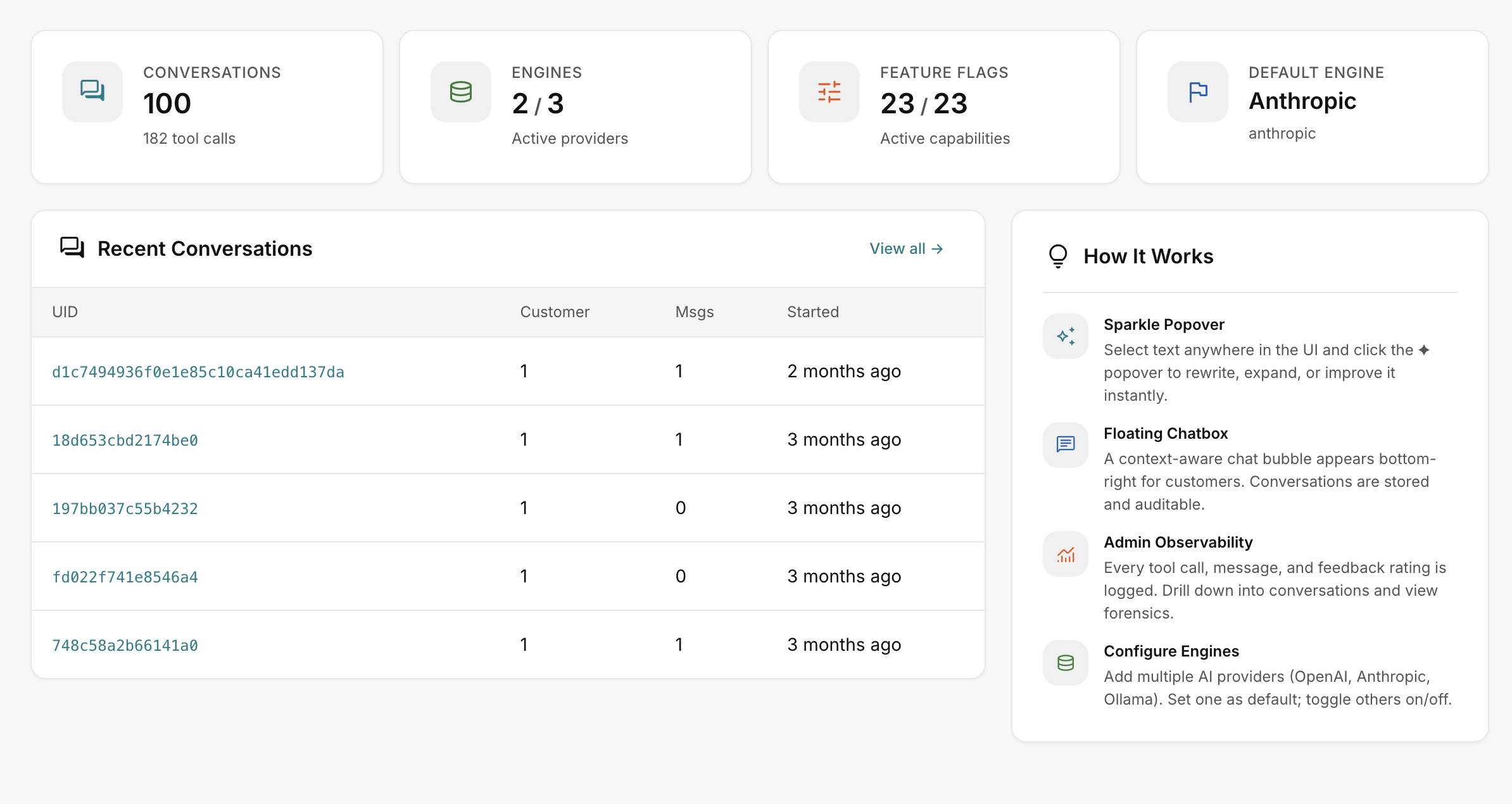 RelyAI → Dashboard
Core concepts
- Engine: An AI provider and model pair (e.g. OpenAI GPT-4o mini).
- Agent: The chatbox upgraded to execute actions via tool calling with full confirmation and undo.
- Coach: A task-specific advisory panel for campaigns, deliverability, segments, or forms.
- Feature flag: An independent toggle controlling visibility and execution for a single capability.
Who it is for
Designed for AcelleMail operators seeking practical AI assistance without sacrificing security:
- Granular control: Every capability is guarded by a dedicated feature flag.
- Safety & cost: Rate caps prevent quota exhaustion; destructive tools require explicit confirmation.
- Auditability: Complete logging of requests, tool calls, and sentiment.
| Area | What it does |
|---|---|
| Chatbox | A knowledge-base support bot, or an action-taking agent (opt-in) that can build lists, automations and more — always with confirmation and undo |
| Rewrite | A sparkle (✦) popover that improves, shortens, expands or re-tones any selected text |
| Subject A/B | Four angle-tagged subject-line variants in the campaign editor, on demand |
| Coaches | Deliverability, segment, campaign and form tips panels on the relevant pages |
| Observability | Usage, conversations, tool-call audit (with CSV export), feedback and self-improve dashboards |
| Control | Multiple engines, per-feature flags, quotas and limits, brand voice, permissions, and HMAC file integrity |
How it fits into AcelleMail
RelyAI integrates cleanly into your existing environment:
- Sidebar navigation: Adds a dedicated RelyAI section (Dashboard, Engines, Feature Flags, Observability, Settings).
- Theme-native UI: Mounts chatbox, rewrite popovers, and coaches through AcelleMail's UI layer.
- Zero core modifications: Modifies no core files, ensuring safe and direct AcelleMail updates.
Initial setup order
AI features remain inactive until you:
- Activate license: Verify your key under Settings → License.
- Connect engine: Add an API provider under Settings → Engines & Keys.
See Licensing and Connect an engine.
Where to go next
- Requirements — check your server and provider first
- Installation — upload, activate, license, connect an engine
- Connect an engine — OpenAI, Anthropic or Ollama
- The chatbox · Agent tools
- Settings reference · Error reference