
Appearance
Transactions
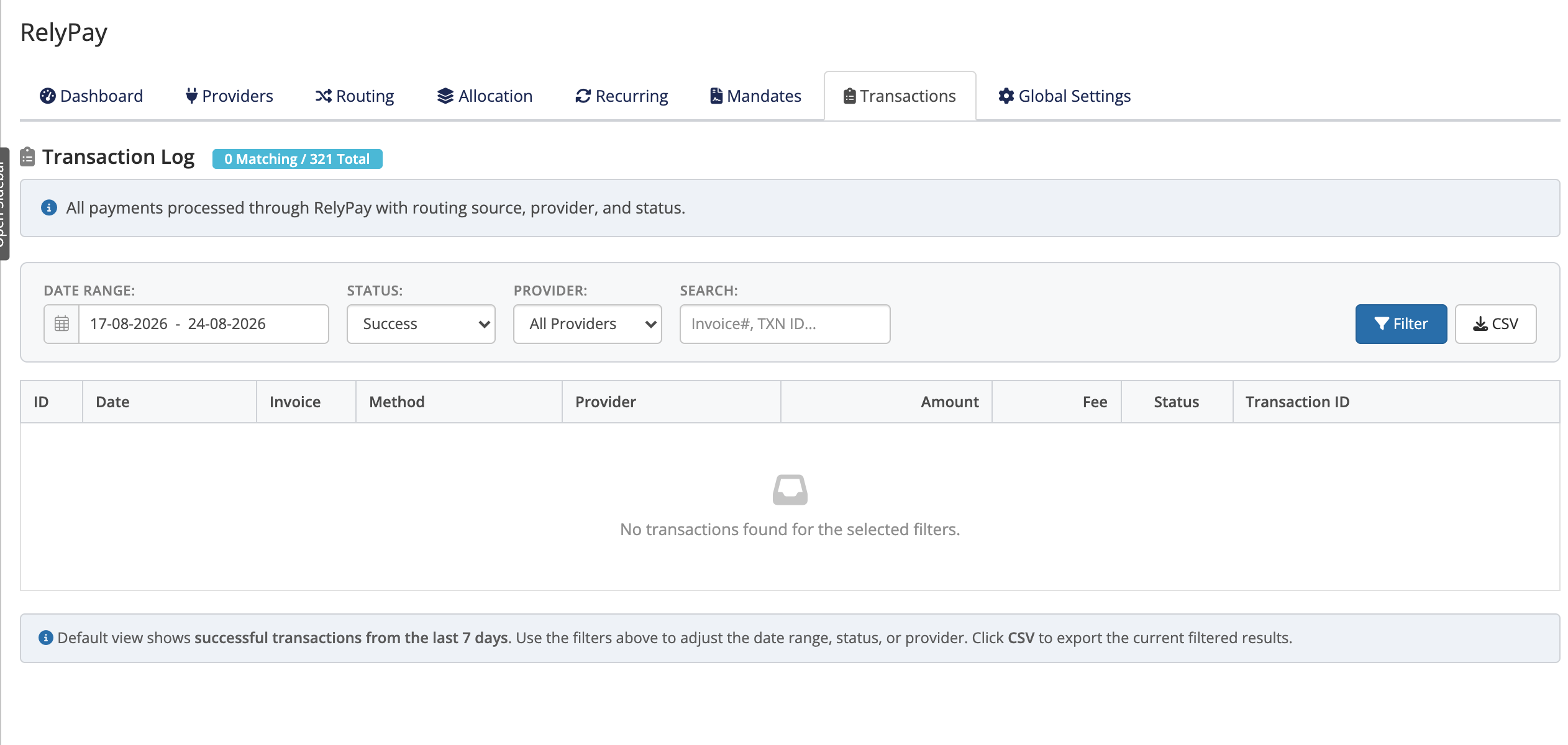
Every payment attempt is recorded in a centralized, searchable log. It details customer method selection, assigned provider routing, and transaction outcome. Access the log under Addons → RelyPay → Transactions.
 Addons → RelyPay → Transactions
Columns
The log records these columns:
| Column | What it tells you |
|---|---|
| ID | RelyPay's internal reference for the attempt |
| Date | When the attempt happened |
| Invoice | The WHMCS invoice being paid |
| Method | The sub-gateway the customer chose (UPI, Cards, …) |
| Provider | Which provider RelyPay routed the payment to |
| Amount | The amount of the payment |
| Fee | The provider fee recorded for the attempt |
| Status | The outcome of the attempt |
| Transaction ID | The provider's own reference, for matching in their dashboard |
Filters and search
Narrow the list with:
- Status — filter by outcome.
- Provider — All Providers, or a single provider (Razorpay, Cashfree, PhonePe, PayGlocal or Zoho Payments).
- Search — a box with the placeholder "Invoice#, TXN ID..." for jumping straight to a specific invoice or provider transaction reference.
Export to CSV
The whole log can be exported to CSV — handy for reconciliation, accounting, or sharing a record with a provider's support team.
What the statuses mean
The Status column reflects how each attempt ended:
- A successful status means the provider confirmed the payment and RelyPay finalised it against the invoice. Duplicate callbacks are ignored, so a payment is never counted twice.
- A failed or cancelled status means the provider declined the payment or the customer abandoned checkout.
- A processing or unfinished status means RelyPay is still waiting on the provider's confirmation, or received a result it could not finalise — worth a closer look.
Each row also captures signature-verification outcomes where relevant (for example a webhook signature that did not match), which help explain why an otherwise-paid attempt did not finalise.
Using it to debug a payment
- Ask the customer for their invoice number or the transaction reference shown at checkout, and paste it into the search box.
- Read the Status and Provider columns to see what happened and who handled it.
- Copy the Transaction ID and look it up in that provider's own dashboard to confirm whether the money actually moved.
- If the status is failed or cancelled, the customer can simply retry — RelyPay's routing may even send the retry to a different provider.
Match against the provider dashboard
The Transaction ID column is the bridge between RelyPay and each provider. When a record looks wrong, comparing it against the provider's dashboard usually settles what happened.
When finalising fails
If a payment succeeded at the provider but the RelyPay status is not successful, check this log first — the row will usually show a verification or finalisation note explaining why. See the error reference for what each message means.
Related pages
- Error reference — every checkout, webhook and update message explained
- Troubleshooting — step-by-step fixes for common payment problems
- Routing — why a given provider handled a payment