
Appearance
Configuration
Connect at least one payment provider on one screen: Addons → RelyPay → Providers. Enter credentials, test, then register RelyPay's webhook URL in the provider's dashboard.
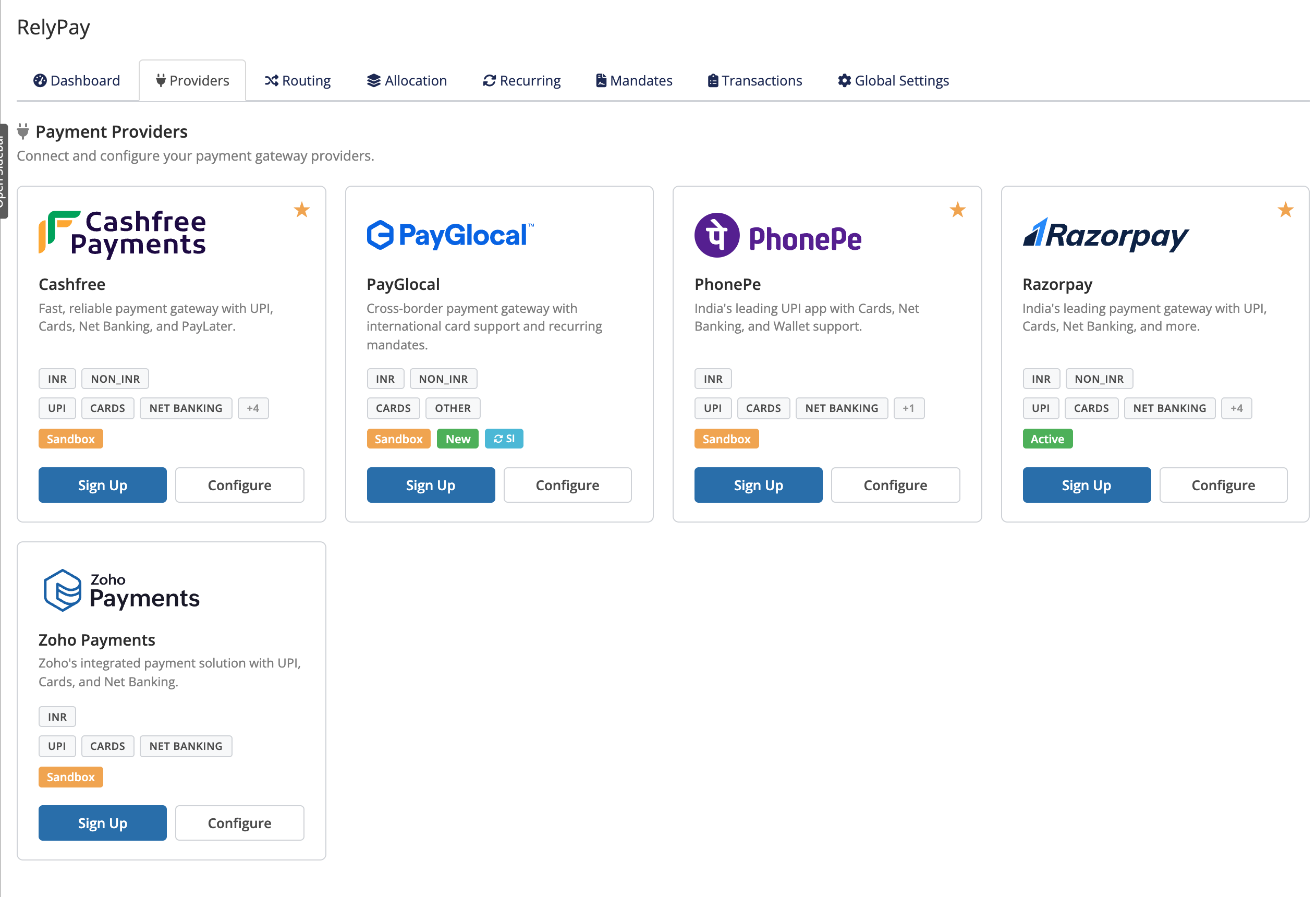 Addons → RelyPay → Providers
Connect a provider
- Addons → RelyPay → Providers → select the provider.
- Enter its credentials (see the table below and the per-provider guide).
- Enable the provider.
- Test Connection — verifies the credentials with the provider before any customer reaches checkout. Fix the keys if it fails.
- Copy the webhook URL RelyPay shows and register it in the provider dashboard (next section).
Configure only the providers you will route to; configuring more than one lets routing spread traffic and fall back automatically.
Credentials by provider
| Provider | Key credentials | Notable options | Guide |
|---|---|---|---|
| Razorpay | Key ID, Key Secret, Webhook Secret | Payment Action (Capture / Authorize) | Razorpay |
| Cashfree | App ID, Secret Key | Test Mode, Checkout Mode (Redirect / Popup) | Cashfree |
| PhonePe | Client ID, Client Secret, Client Version | Payment Mode (Redirect / Iframe), Sandbox Mode | PhonePe |
| PayGlocal | Merchant ID, private/public key paths & IDs | Test Mode; powers recurring on international cards | PayGlocal |
| Zoho Payments | Account ID, API Key, OAuth Client ID, Client Secret, Refresh Token | Data Center, Webhook Secret, Test Mode | Zoho |
Set up webhooks
A webhook lets a provider report a payment's outcome (captured, failed, cancelled) even if the customer closes the browser. Without it, a paid invoice may not be marked paid.
For each provider:
- Copy the webhook URL from the provider's config page in RelyPay.
- Paste it into the provider dashboard's webhook/callback field.
- Subscribe to the events RelyPay lists — required events must be on; optional ones enrich the transaction log.
- Save in the provider dashboard.
Each provider guide lists that provider's exact events and marks the required ones.
HTTPS required
Webhook endpoints must be served over HTTPS with a valid certificate — providers refuse to deliver to an insecure URL, and RelyPay signature-verifies every callback.
Every callback is verified
RelyPay signature-verifies every provider callback and ignores duplicates, so a payment is never processed twice.
Next
- Enable sub-gateways under Setup → Payment Gateways.
- Set Routing — currency, amount, percentage split, fallback.
- Review the Settings reference for global options.
Provider guides: Razorpay · Cashfree · PhonePe · PayGlocal · Zoho