
Appearance
Licensing
RelyPay is available under two license models that grant complete access to all product capabilities:
- Leased: Active subscription model with continuous software updates.
- Lifetime: Perpetual license for the installed version, with updates available via active Support & Updates.
The two license types
| Type | What you get | Updates |
|---|---|---|
| Leased | Works while the license is active. | Updates included for as long as it stays active. |
| Lifetime | Perpetual use of the installed version — you own it forever. | Newer versions need an active Support & Updates plan. |
The license-gated feature
Almost all of RelyPay runs regardless of license state. The one part that is license-gated is the client-area gateway-allocation filter — the visibility rule that decides which gateways a customer sees at checkout (see Allocations).
License verification operates with built-in resilience:
- Background validation: Local caching ensures licensing server connectivity issues never disrupt live checkouts.
- Fail-open safety: If a license expires, gateway allocation filtering disables and reveals all payment methods to prevent checkout blockages.
- Instant restoration: Validating an active key immediately reapplies custom allocation filters.
Where to enter and manage your key
Go to Addons → RelyPay → Global Settings → License Information.
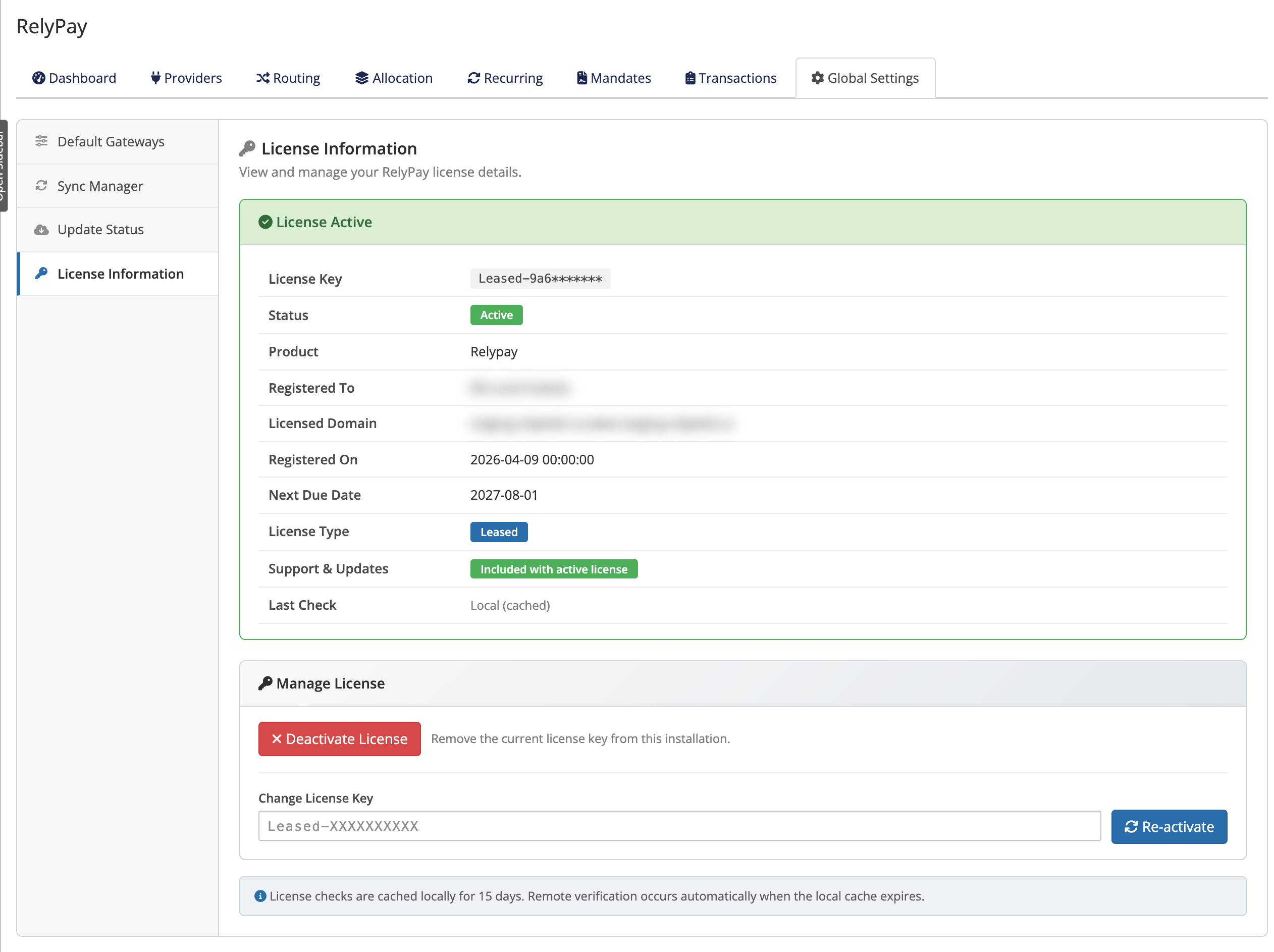 Addons → RelyPay → Global Settings → License Information
- The License Information section shows your license status and, when applicable, your update entitlement.
- Under Manage License you enter your key in the License Key field (the placeholder looks like
Leased-XXXXXXXXXX). Save it to activate. - If no key is set yet, RelyPay shows a No License Configured state prompting you to enter one.
Related pages
- Installation — where entering your key fits in setup
- Updating — how license type affects updates
- Backup and restore — what's kept when you update
- Error reference — the exact licensing and update messages