
Appearance
Sub-gateways
RelyPay separates customer checkout presentation from backend payment processing:
- Sub-gateway: The client-facing checkout method (e.g., UPI, Cards, Net Banking) chosen by the customer.
- Provider: The processing backend (e.g., Razorpay, Cashfree, PhonePe, PayGlocal, Zoho Payments) selected dynamically by routing.
- Seamless abstraction: Backend provider routing can change without altering the customer checkout interface.
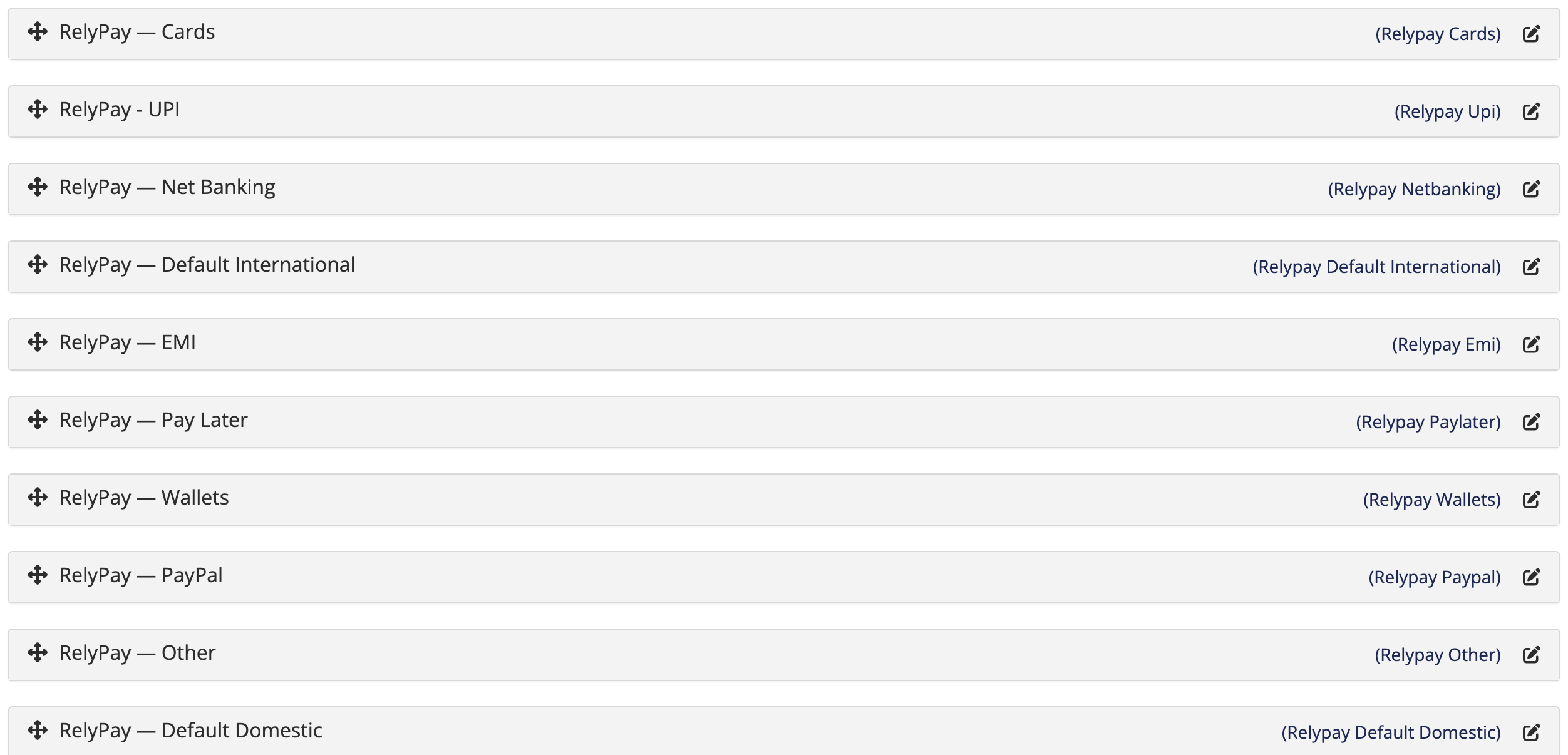 Setup → Payment Gateways
The ten sub-gateways
When you activate RelyPay it generates ten sub-gateways as real WHMCS gateway modules. Each behaves like any other gateway in WHMCS — you enable and order it under Setup → Payment Gateways.
| Module | Display name | Currency | Methods it offers |
|---|---|---|---|
relypay_upi | RelyPay — UPI | INR | Pay via UPI (GPay, PhonePe, Paytm & more) |
relypay_cards | RelyPay — Cards | all | Credit & Debit Cards (domestic + international) |
relypay_netbanking | RelyPay — Net Banking | INR | Internet Banking (all major banks) |
relypay_wallets | RelyPay — Wallets | INR | Digital Wallets (Paytm, PhonePe & more) |
relypay_paylater | RelyPay — Pay Later | INR | Buy Now Pay Later (Simpl, LazyPay & more) |
relypay_emi | RelyPay — EMI | INR | Easy Monthly Instalments on credit cards |
relypay_paypal | RelyPay — PayPal | non-INR | Pay with your PayPal account |
relypay_other | RelyPay — Other | non-INR | Additional international payment methods |
relypay_default_domestic | RelyPay — Default Domestic | INR | All INR methods (UPI, Cards, Net Banking, Wallets, Pay Later, EMI) |
relypay_default_international | RelyPay — Default International | non-INR | All non-INR methods (Cards, PayPal, Other) |
Default gateways vs method-specific gateways
There are two kinds of sub-gateway, and you choose between them based on how you want checkout to look:
- Default gateways (2 options): RelyPay — Default Domestic (all INR payment methods) and RelyPay — Default International (all non-INR methods). Keeps checkout compact with a single multi-method button per currency scope.
- Method-specific gateways (8 options): Expose individual checkout options (UPI, Cards, Net Banking, Wallets, Pay Later, EMI, PayPal, and Other) for explicit method selection.
Currency scope
The Cards gateway works for all currencies, because cards can be domestic or international. The other method-specific gateways are scoped to INR, except PayPal and Other, which are non-INR. WHMCS shows a gateway only when the invoice currency fits.
Enabling sub-gateways
- Go to Setup → Payment Gateways.
- Find the RelyPay sub-gateways in the list (their display names all begin with RelyPay —).
- Activate the ones you want and set their display order, exactly as you would any other WHMCS gateway.
Only the sub-gateways you enable appear at checkout. You do not have to enable all ten.
Which should you enable?
- Want the simplest checkout? Enable just the two Default gateways. Domestic customers see one INR option, international customers see one non-INR option, and every method is available under each.
- Want customers to pick a specific method? Enable the method-specific gateways you care about — for instance UPI, Cards and Net Banking for a mostly-Indian audience, plus PayPal if you sell abroad.
- Selling internationally? Make sure Cards (or Default International) is enabled so international cards have a home, and see Recurring payments if you charge on a schedule.
Avoid a cluttered checkout
Enabling both a Default gateway and its individual methods can show the same method twice. Pick one style — Default gateways or method-specific gateways — for a clean checkout.
To control which of your enabled sub-gateways different customers actually see, use Allocations.
Related pages
- Routing — which provider takes each payment
- Allocations — show different methods to different customers
- Configuration — connect the providers behind these sub-gateways