
Appearance
Licensing
GST Manager is available under two licensing models, both providing full module functionality:
- Full feature access: Both license tiers enable all tax calculation, PDF styling, and reporting features.
- License-gated display: Client-area bank details block requires an active license.
- Key management: Keys are configured and validated under Global Settings → License Information.
The two license types
| Type | What you get | Updates |
|---|---|---|
| Leased | Active subscription access to all features | Updates included continuously while subscription is active |
| Lifetime | Perpetual license for the installed version | Updates require an active Support & Updates plan |
The license-gated feature
Core invoicing and tax calculations operate independently of external server uptime:
- Gated component: Client-area bank details display on customer-facing invoice views.
- Local license cache: Background local validation prevents storefront disruptions during temporary network outages.
- Uninterrupted operations: Tax calculations, PDF generations, GSTR-1 reports, and checkout workflows never stop if licensing expires.
- Restoration: Re-entering an active key immediately restores client-area bank display.
Where to enter and manage your key
Manage your license at Addons → GST Manager → Global Settings → License Information:
- Status overview: Displays license tier, validation status, and Support & Updates expiry dates.
- Key input: Enter your key into the License Key field (e.g.
Leased-XXXXXXXXXX) and save. - Initial state: Fresh installations display a No License Configured alert until activated.
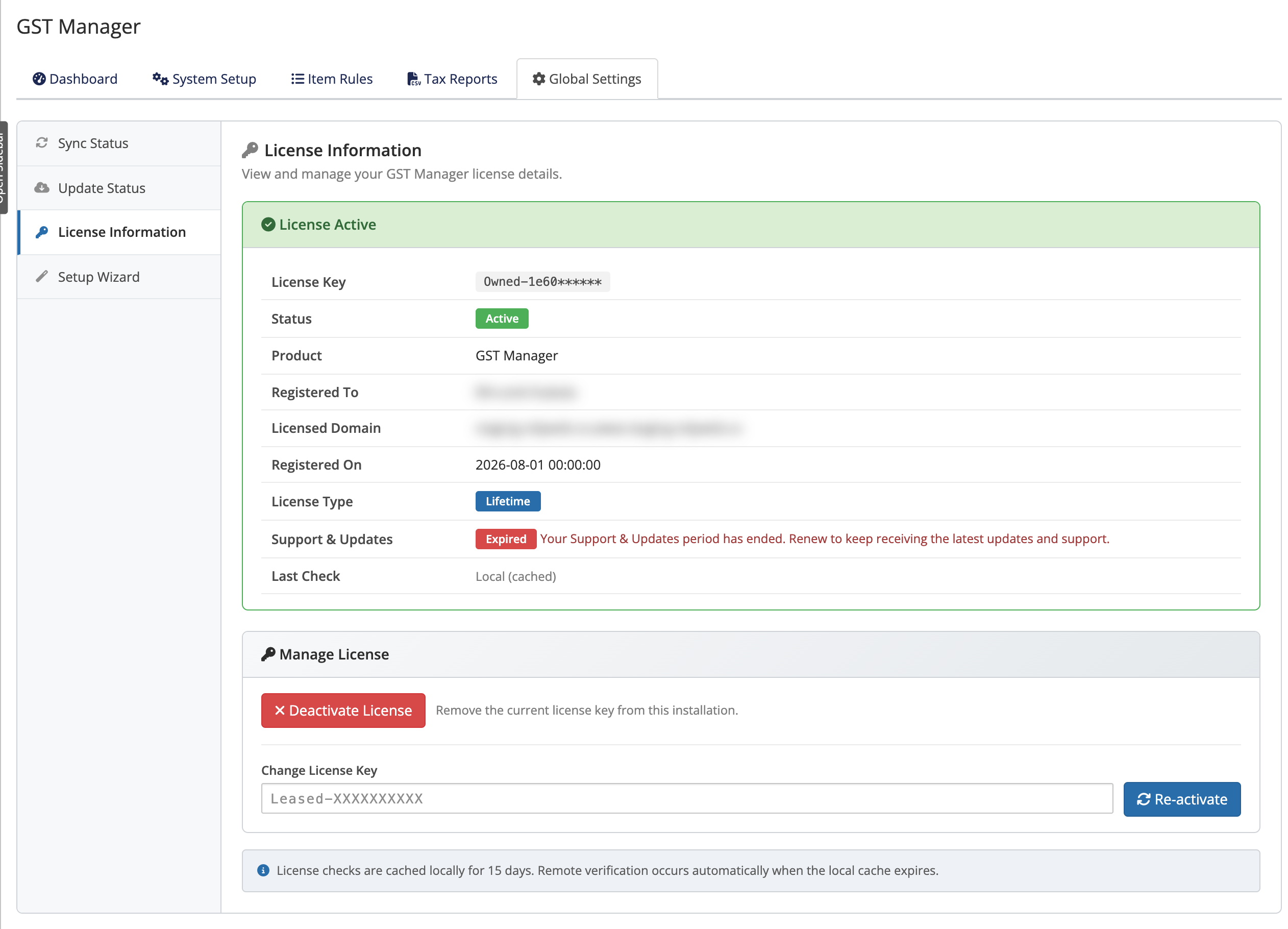 Addons → GST Manager → Global Settings → License Information
Related pages
- Installation — where entering your key fits in setup
- Updating — how updates depend on license type
- Backup and restore — what's kept when you update
- Error reference — licensing and update messages explained