
Appearance
File Integrity
GST Manager maintains cryptographic verification of its installed files:
- Tamper detection: Validates module files against HMAC-SHA256 baselines.
- Automated alerts: Flags modified, missing, or unauthorized files under Global Settings → Sync Status.
- Template management: Syncs verified GST invoice templates to active WHMCS themes.
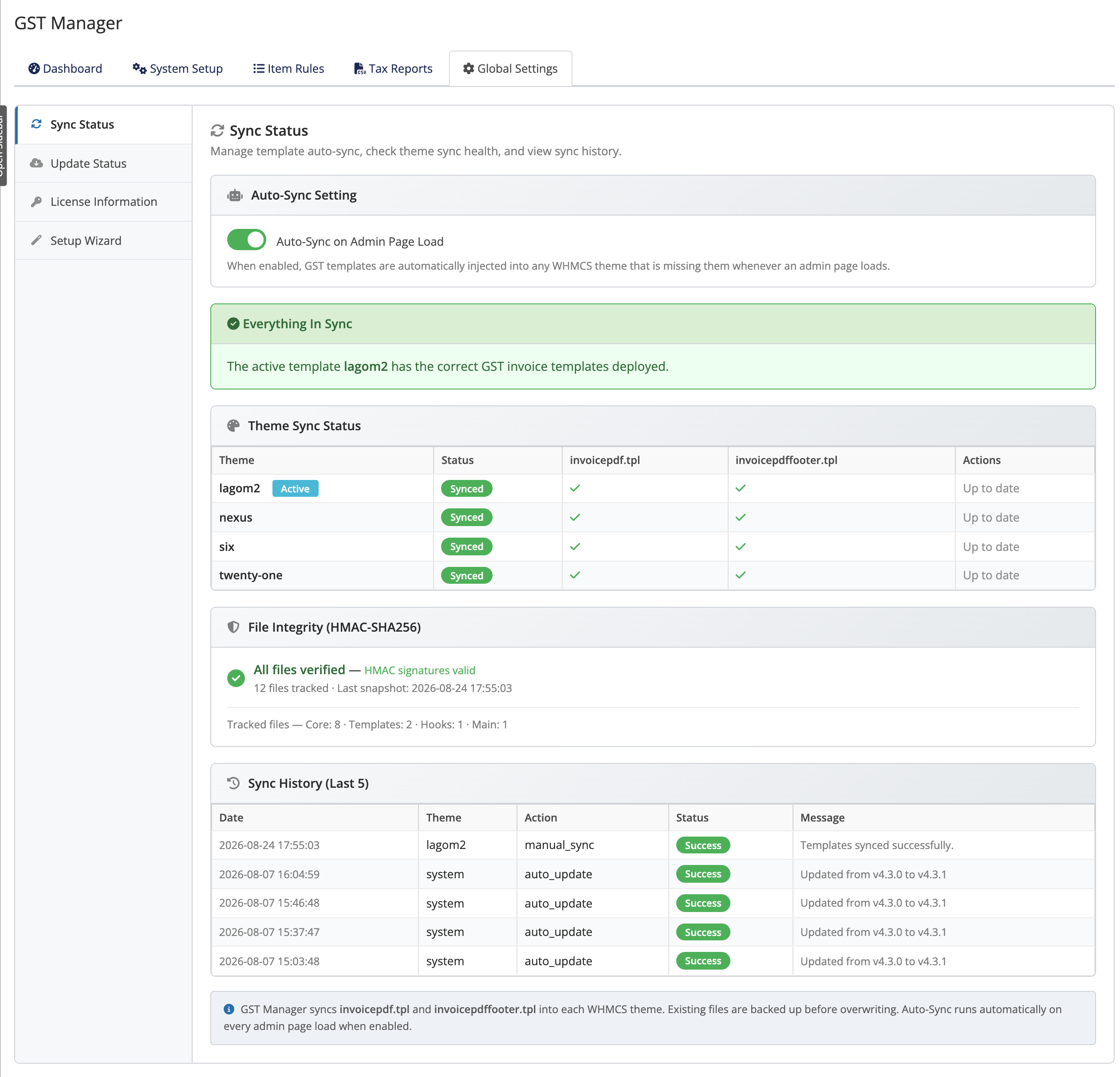 Addons → GST Manager → Global Settings → Sync Status
How it works
Each module file is cryptographically hashed with an HMAC-SHA256 signature. GST Manager detects unauthorized modifications to both file contents and internal signature records.
The four issue types
| Issue | Meaning |
|---|---|
| Tampered | File contents modified from the original release |
| Missing | Required module file is absent |
| Added | Unrecognized file detected in module directories |
| HMAC Invalid | Signature record mismatch indicating record-level tampering |
A clean system reports zero issues across all categories.
The component breakdown
Files are audited and grouped by component:
| Component | What it covers |
|---|---|
| Core | Main application logic and business rules |
| Templates | GST invoice templates deployed to WHMCS themes |
| Hooks | WHMCS event listeners and workflow hooks |
| Main | Module entry point and bootstrap files |
The panel records the last snapshot time, created on activation and refreshed after every sync.
The Sync Status panel
Manage theme templates and synchronization under Global Settings → Sync Status:
- Auto-Sync: Redeploys templates automatically if mismatches are detected during admin page loads.
- Theme Sync Status table: Displays sync status for
invoicepdf.tplandinvoicepdffooter.tplper theme. - Sync All: Overwrites and redeploys verified templates across all installed themes.
Successful operations return "Templates synced successfully."
Keep your active theme in sync
WHMCS theme updates can overwrite custom template files. Keep Auto-Sync enabled or trigger Sync All after theme updates to maintain PDF invoice layout integrity.
Where to go next
- Setup Wizard — Step 7 deploys the templates
- Configuration — where templates and settings live
- Back to the overview