
Appearance
Tax Reports
Generate statutory CSV export files under Addons → GST Manager → Tax Reports:
- Filing-ready formats: Pre-formatted exports for GSTR-1 and FEMA reporting.
- Custom date filters: Filter records by month, quarter, financial year, or custom date ranges.
- Payment-based exports: Includes only paid invoices settled within the selected timeframe.
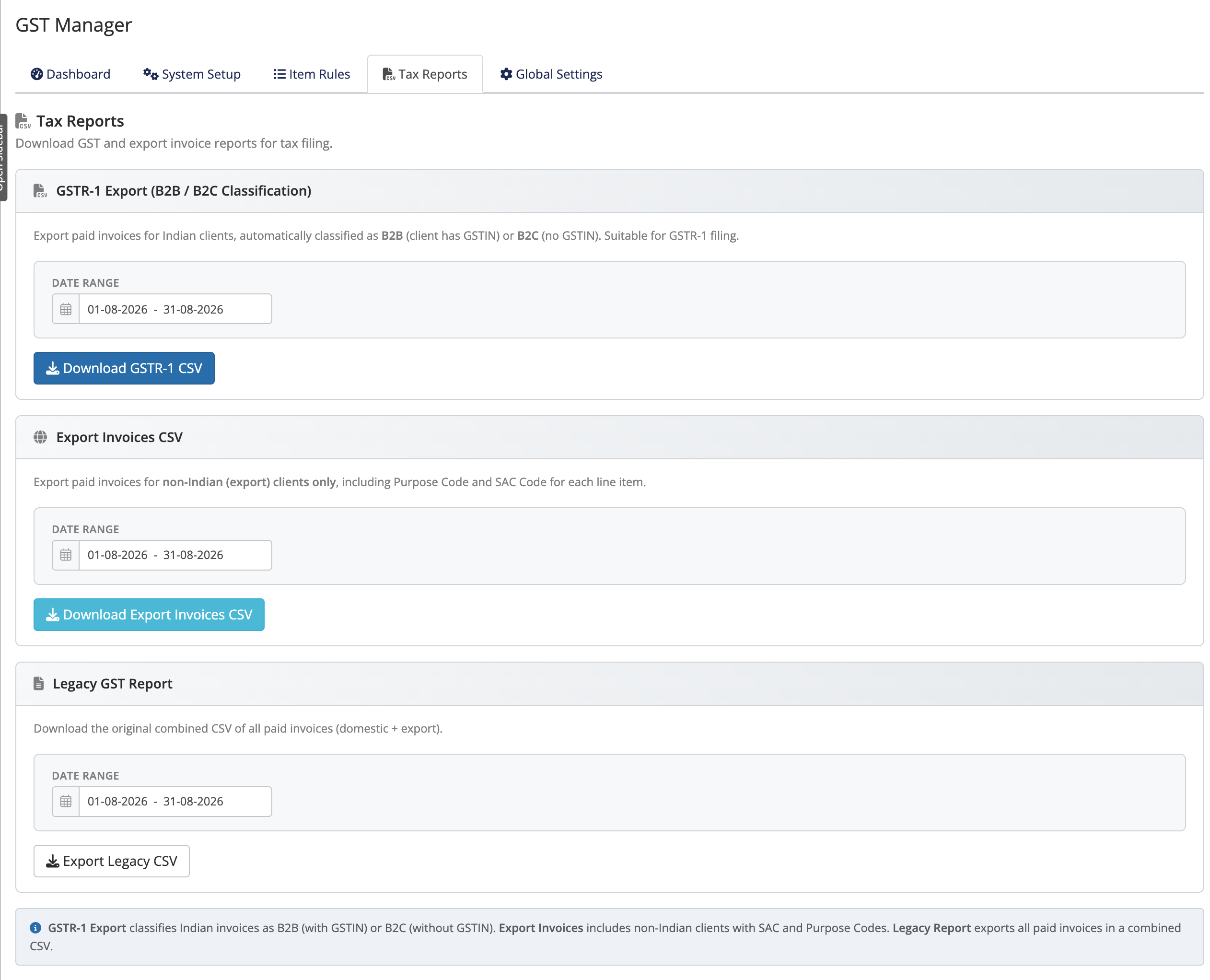 Addons → GST Manager → Tax Reports
Terminology
- GSTR-1: Statutory tax return detailing outward taxable supplies.
- B2B: Registered clients providing a valid GSTIN.
- B2C: Unregistered consumer transactions without a GSTIN.
- SAC / Purpose Codes: Classification codes for services and international remittances.
Choose your date range
Select the target reporting period at the top of the screen (e.g. Month, Quarter, or Custom Range). Export generators filter exclusively by invoice payment dates.
The three reports
GSTR-1 (B2B / B2C classification)
- Audience: Paid invoices for Indian domestic clients.
- Classification: Auto-sorts line items into B2B or B2C tables based on client GSTIN status.
- Action: Click Download GSTR-1 CSV.
Export Invoices CSV
- Audience: Paid invoices for non-Indian international clients.
- Compliance: Includes line-item Purpose Codes and SAC codes for FEMA inward remittance tracking.
- Action: Click Download Export Invoices CSV. See export compliance.
Legacy GST Report
- Audience: Unified export containing all paid invoices (domestic and international).
- Use case: General accounting reconciliations and full-ledger audits.
- Action: Click Export Legacy CSV.
Quick reference
| Report | Covers | Button |
|---|---|---|
| GSTR-1 (B2B/B2C) | Paid invoices for Indian clients, auto-classified B2B/B2C | Download GSTR-1 CSV |
| Export Invoices | Paid invoices for non-Indian clients, with Purpose + SAC codes | Download Export Invoices CSV |
| Legacy GST Report | All paid invoices (domestic + export) combined | Export Legacy CSV |
Clean data starts upstream
If report discrepancies appear, audit the compliance health widget — malformed GSTINs or zero-tax invoices are flagged there prior to export generation.
Where to go next
- Dashboard & widgets — the numbers behind the reports
- Export compliance — FEMA, Purpose and SAC codes
- Back to the overview