
Appearance
File your GSTR-1
This walkthrough details how to extract compliance data from GST Manager to prepare your statutory outward supplies return.
Understanding GSTR-1
GSTR-1 is the mandatory return for outward supplies. GST Manager compiles all taxable transactions into standardized CSV files for direct reconciliation or upload.
Step 1 — Check the filing deadline
- Navigate to GST Manager → Dashboard.
- Locate the GSTR-1 due countdown timer to confirm your filing cutoff date.
- Open GST Manager → Reports to initiate data export.
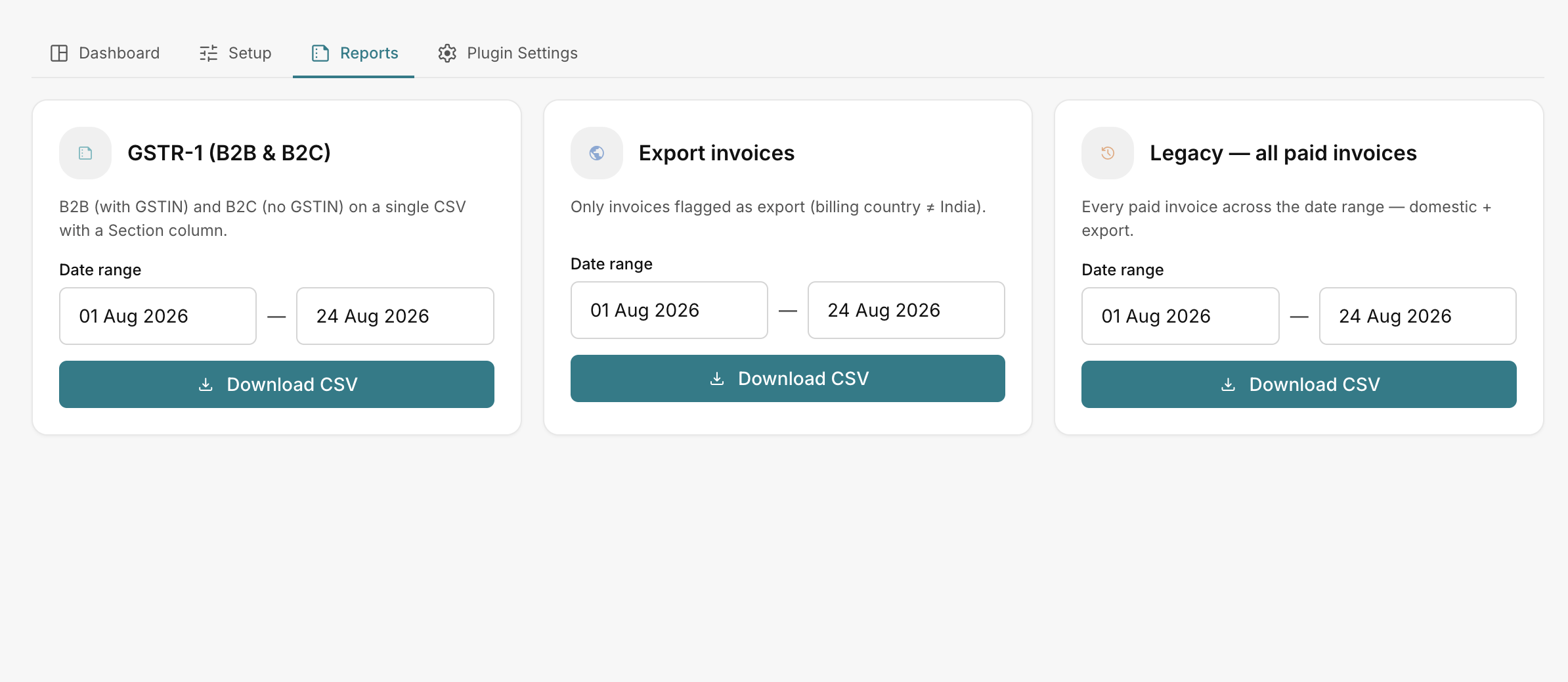 GST Manager → Reports
Step 2 — Configure the reporting period
Set the date parameters under GST Manager → Reports:
- Adjust the From and To date pickers to cover your target tax period (e.g. current month or quarter).
- Ensure date bounds align with your statutory filing frequency.
Step 3 — Download the GSTR-1 CSV
- Locate the GSTR-1 (B2B & B2C) report card.
- Click Download CSV.
- Inspect the exported file using the Section column:
- B2B rows: Transactions with validated customer GSTINs. Map these records to Table 4A of your GSTR-1 return.
- B2C rows: Transactions without a registered GSTIN. Map these records to Table 7 (B2C Others) of your GSTR-1 return.
Step 4 — Export companion datasets
Download supplementary exports for comprehensive reconciliation:
- Export invoices: Filtered to international transactions (billing country outside India) for zero-rated export reporting in Table 6A.
- Legacy — all paid invoices: Complete ledger of domestic and international transactions for total revenue reconciliation.
For detailed column descriptions, see Tax reports.
Related pages
- Tax reports — report format specifications
- Dashboard — monitor tax liabilities
- GSTIN validation — customer tax ID verification