
Appearance
Dashboard
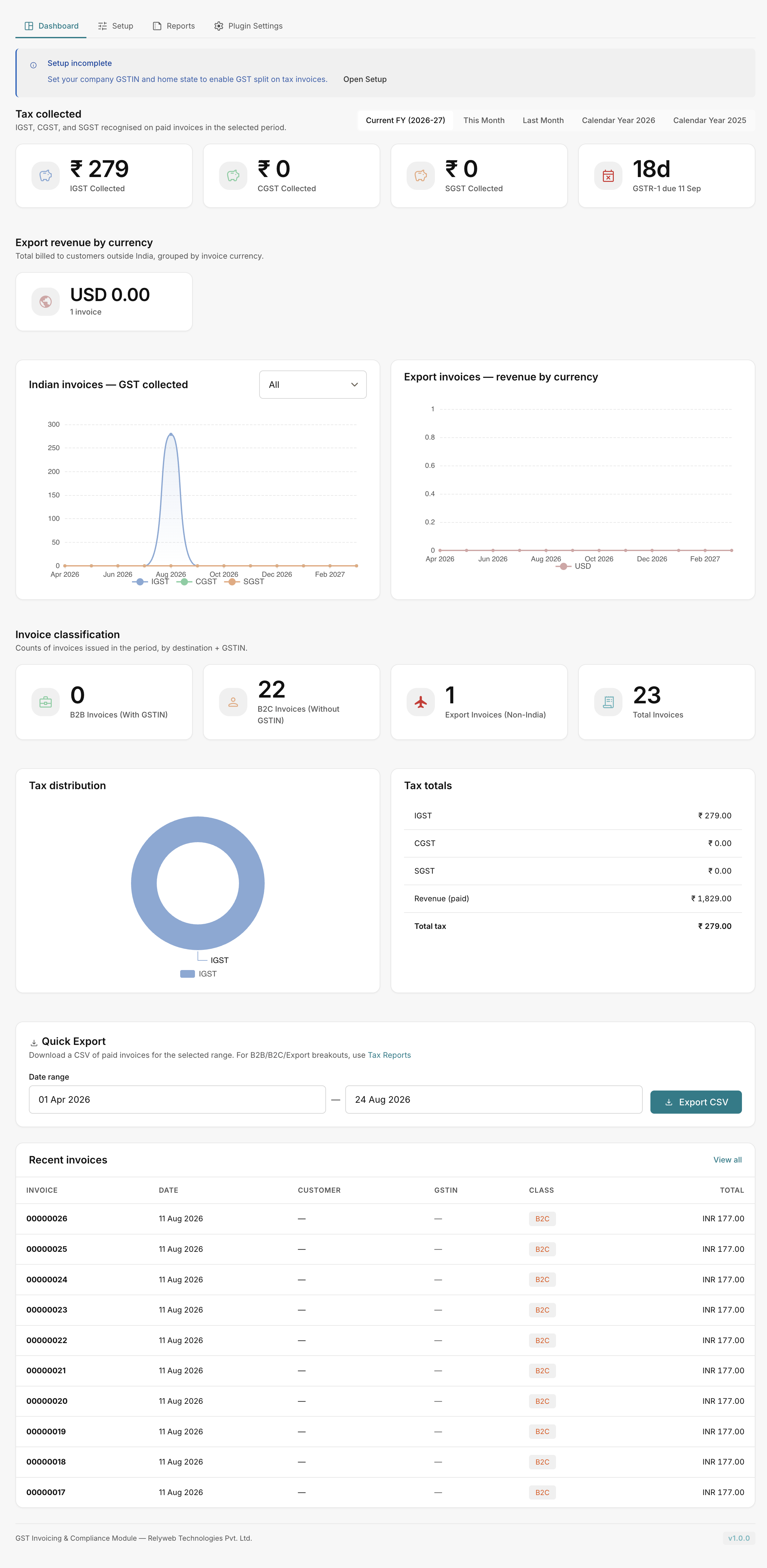
The Tax Reconciliation Dashboard provides an operational overview of GST collected, invoice classification, and filing status before you export returns.
 GST Manager → Dashboard
Pick your period
The Period dropdown at the top filters all dashboard metrics:
- Current FY — current Indian financial year
- This Month / Last Month
- Calendar Year / Last Year
KPIs
Headline metric tiles for the selected range:
| KPI | Description |
|---|---|
| IGST / CGST / SGST Collected | Total tax collected, separated by component. |
| B2B / B2C Invoices | Count of domestic invoices with and without customer GSTIN. |
| Export / Total Invoices | Non-India invoice count and cumulative total. |
Unexpected component splits typically indicate a missing customer GSTIN or incorrect home state setting.
Sections and charts
| Section | Description |
|---|---|
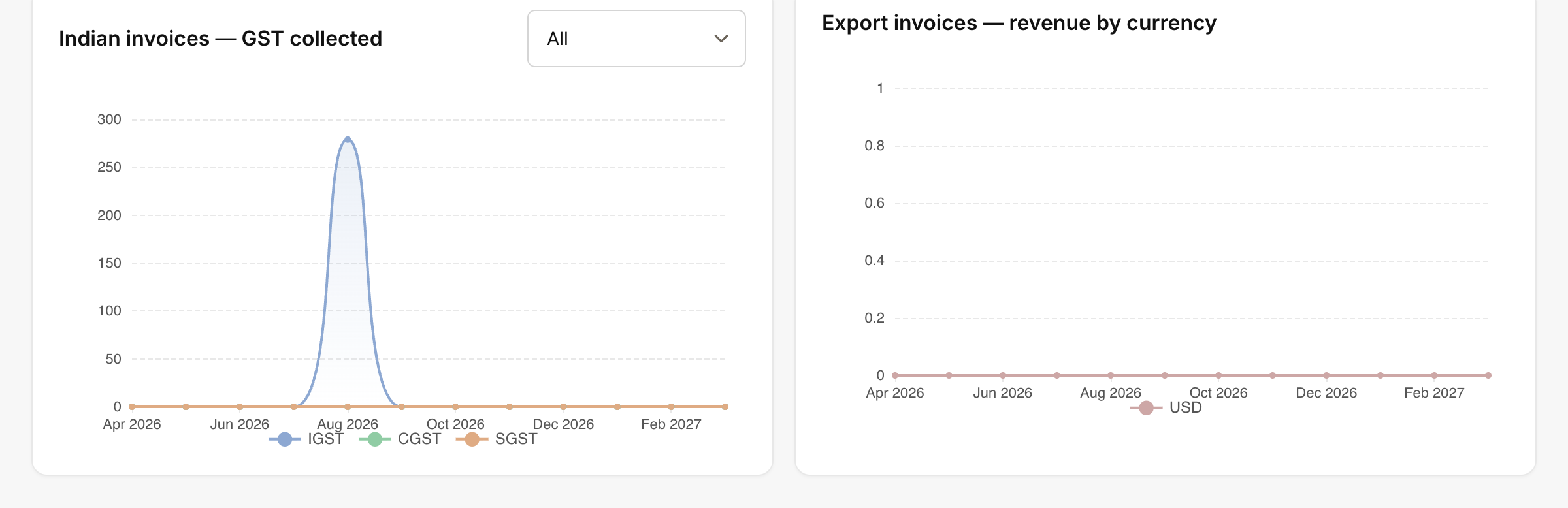
| Indian invoices — GST collected | Visual timeline filterable by All, B2B (with GSTIN), or B2C (no GSTIN). |
| Export invoices — revenue by currency | Revenue from international customers grouped by billing currency. |
| Tax distribution / Tax totals | Aggregate tax liability proportions over the selected period. |
 GST Manager → Dashboard
Filing and recent activity
- GSTR-1 due: Real-time countdown timer to the next statutory filing deadline.
- Quick Export: Generates an immediate summary CSV. For categorized portal filing data, see Tax reports.
- Recent invoices: Displays recent records with Invoice, Date, Customer, GSTIN, Class, and Total, plus a View all shortcut.
Setup incomplete notice
If required configuration is missing, the dashboard displays:
"Setup incomplete — Set your company GSTIN and home state to enable GST split on tax invoices."
To resolve this notice:
- Click Open Setup on the banner.
- Enter your company GSTIN and Home State.
- Save settings to activate tax calculations and dashboard reporting.
See Configuration.
Related pages
- Configuration — set your GSTIN and home state
- Tax reports — B2B, B2C, and export CSV reports
- File your GSTR-1 — filing walkthrough
- GST classification — tax classification rules