
Appearance
Invoice PDF
While GST Manager is active it prints invoices with its own GST-aware template — the stock AcelleMail PDF is not used. Every admin or customer download comes out formatted for Indian GST.
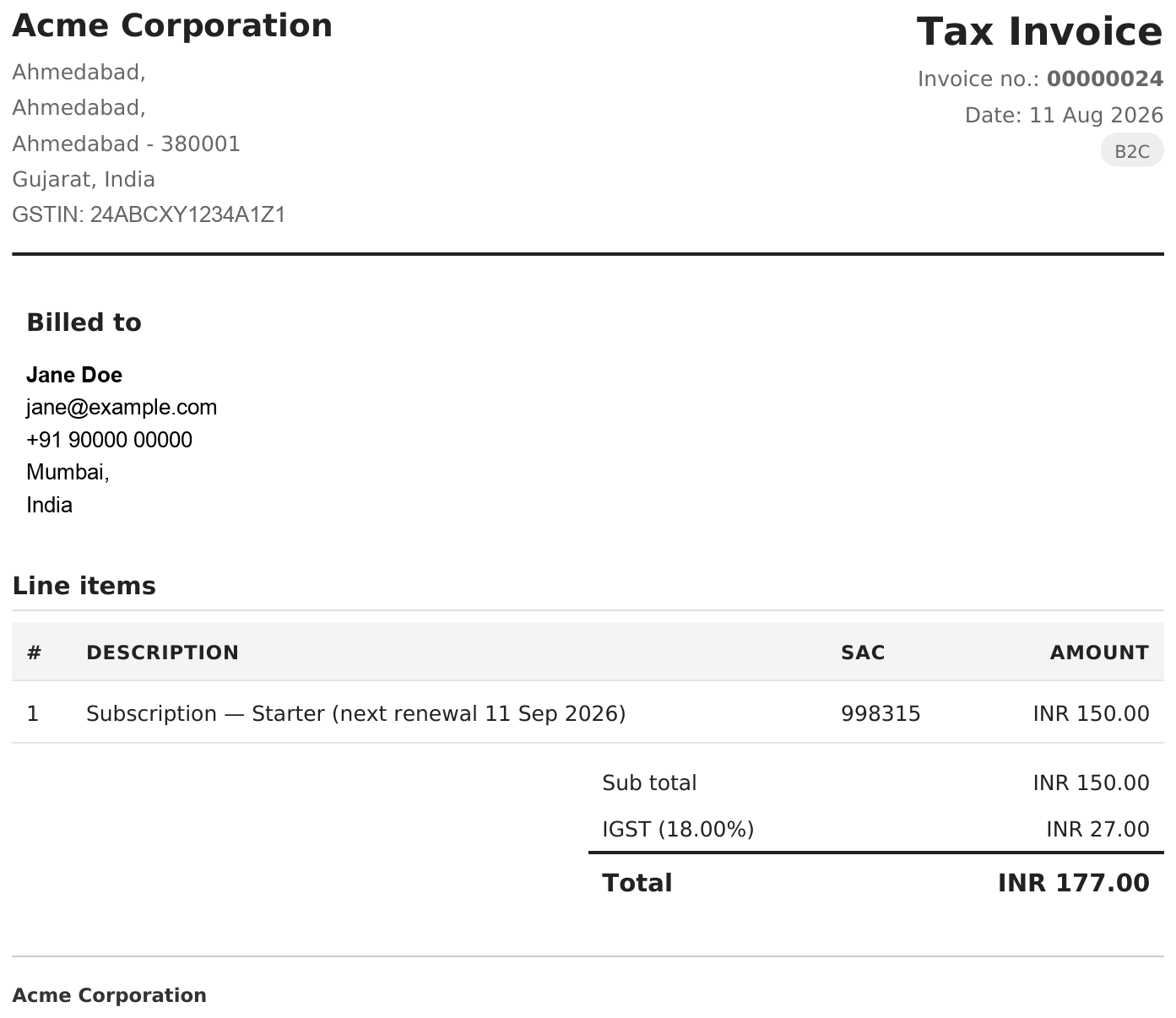 A rendered Tax Invoice download
The two titles
The PDF titles itself from how the invoice was classified:
| Title | When |
|---|---|
| Tax Invoice | Domestic sale (B2B or B2C). |
| Export Invoice | Sale outside India. |
Near the top you'll also see Invoice no., Date, GSTIN, and — on exports — Export no.
What the document contains
A Tax Invoice, top to bottom:
- Your uploaded invoice logo.
- A Billed to address block.
- Line items in Description / SAC / Amount columns — the SAC sits on every line.
- A Sub total, then the tax split — CGST + SGST (intra-state) or IGST (inter-state) — then Total tax and Total.
- The Place of supply.
- A Bank details block (per-currency, from your setup).
- An identity footer: Tel · Email · PAN · CIN on one line, Company · GSTIN on the other.
An Export Invoice instead carries your Export declaration and FEMA declaration (Foreign Exchange Management Act compliance statement) in the footer, with no GST lines.
Making it show your details
Everything comes from your setup:
| PDF area | Setup tab |
|---|---|
| Logo, phone, email, PAN, CIN | Setup → Footer & Identity |
| Bank block and per-currency overrides | Setup → Bank Details |
| Export and FEMA declarations | Setup → Export Settings |
Walk through these in Invoice identity & bank details.