
Appearance
GST classification
GST Manager classifies every invoice and applies the right tax treatment automatically — you never pick it per order. It decides from three inputs: your home state, the customer's state, and whether the customer holds a GSTIN.
The four classes
B2B-intra — customer has a GSTIN and is in your home state. B2B-inter — customer has a GSTIN but is in a different state. B2C — customer has no GSTIN (an end consumer). Export — a sale outside India. A non-INR invoice with no billing country resolves to Export automatically.
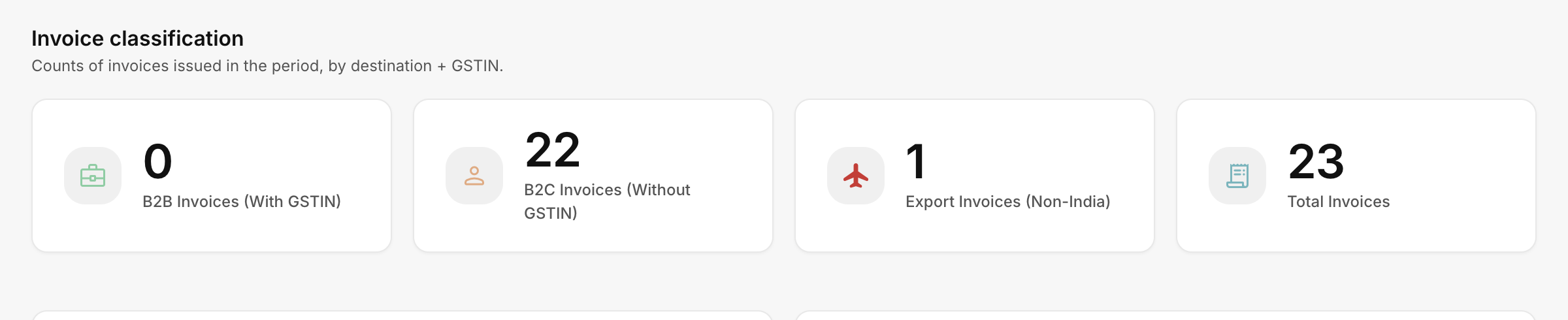 GST Manager → Dashboard → Invoice classification
What drives each outcome
| Input | Decides |
|---|---|
| Customer GSTIN (valid = B2B, none = B2C) | Business vs consumer. See GSTIN validation. |
| Home state vs customer's state | Same → intra-state (CGST + SGST); different → inter-state (IGST). |
| Billing country outside India (or non-INR, no country) | Export — no Indian tax. |
Set your home state once under Setup → Company & Tax; every invoice inherits it.
How the tax is calculated
Total GST = invoice subtotal × configured rate ÷ 100, then split by class:
| Class | Tax lines |
|---|---|
| B2B-intra / B2C in your state | Equal CGST + SGST. |
| B2B-inter / B2C in another state | Single IGST. |
| Export / any zero-subtotal invoice | No GST applied. |
Each invoice also shows a Place of supply, so the treatment is visible on the document.
Getting it right
Two settings do all the work — both under Setup → Company & Tax:
- Set your home state accurately (matched against the Indian states registry; drives CGST/SGST-vs-IGST).
- Make sure customers can enter their GSTIN so business sales are recognised as B2B.
Walk through both in Configure GST.