
Appearance
File integrity
GST Manager includes built-in file verification mechanisms:
- HMAC-SHA256 verification: Generates signatures across plugin files to detect unexpected drift or corruption.
- Advisory monitoring: Surfaces file changes without disabling plugin functionality.
- Admin accessibility: Monitored via GST Manager → Plugin Settings → Integrity & Updates.
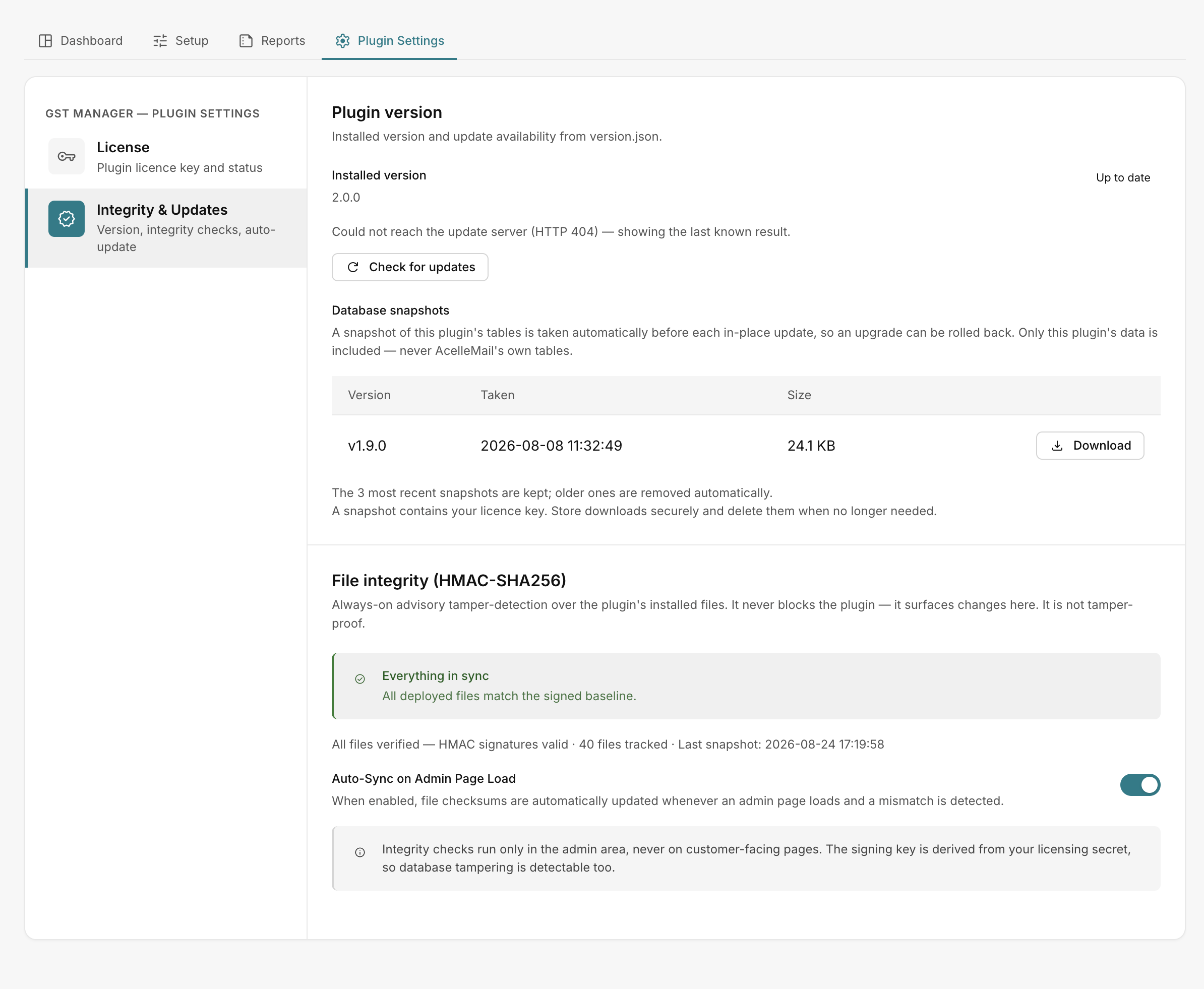 GST Manager → Plugin Settings → Integrity & Updates
Understanding advisory checks
Integrity checks provide diagnostic visibility rather than security locks. Verification runs strictly in the admin area and never impacts customer checkout or invoice generation.
Reading status messages
The integrity panel reports real-time state:
- Everything in sync: All local files match the active baseline signature.
- Sync required: File modifications detected; panel lists modified files for review.
- All files verified — HMAC signatures valid: Signature validation passed successfully.
- :n files tracked · Last snapshot: 📅 Displays total monitored file count and timestamp of the latest baseline.
- No checksum baseline yet…: Initial installation state before the first baseline record is captured.
Auto-Sync on Admin Page Load
The Auto-Sync on Admin Page Load setting controls baseline updates:
- Enabled (Default): Automatically re-baselines signatures when legitimate changes occur following plugin updates or authorized code changes.
- Disabled: Preserves the existing baseline until manually reset, requiring explicit review of file modifications.
When to take action
Follow these operational guidelines when reviewing integrity statuses:
- Normal operations: No action required when status displays Everything in sync or All files verified.
- Post-update drift: A Sync required status immediately after an official update or intentional edit is expected; allow Auto-Sync to re-baseline.
- Unexpected drift: If Sync required appears unexpectedly, review the modified file paths, redeploy a clean plugin package, or contact support.
Maintain regular backups
Integrity checks track codebase changes but do not replace database backups. See Backup and restore.
Related pages
- Updating — in-place upgrade workflows
- Backup and restore — automated pre-update snapshots
- Troubleshooting — resolving integrity alerts