
Appearance
Tax reports
GST Manager generates structured CSV reports for tax filing and financial reconciliation under GST Manager → Reports ("Download CSV exports for compliance filings"):
- Automated classification: Pre-sorts transactions into appropriate statutory reporting buckets.
- Custom date ranges: Filter records by configurable From/To date boundaries.
- Direct download: Export standard CSV files compatible with filing utilities and spreadsheets.
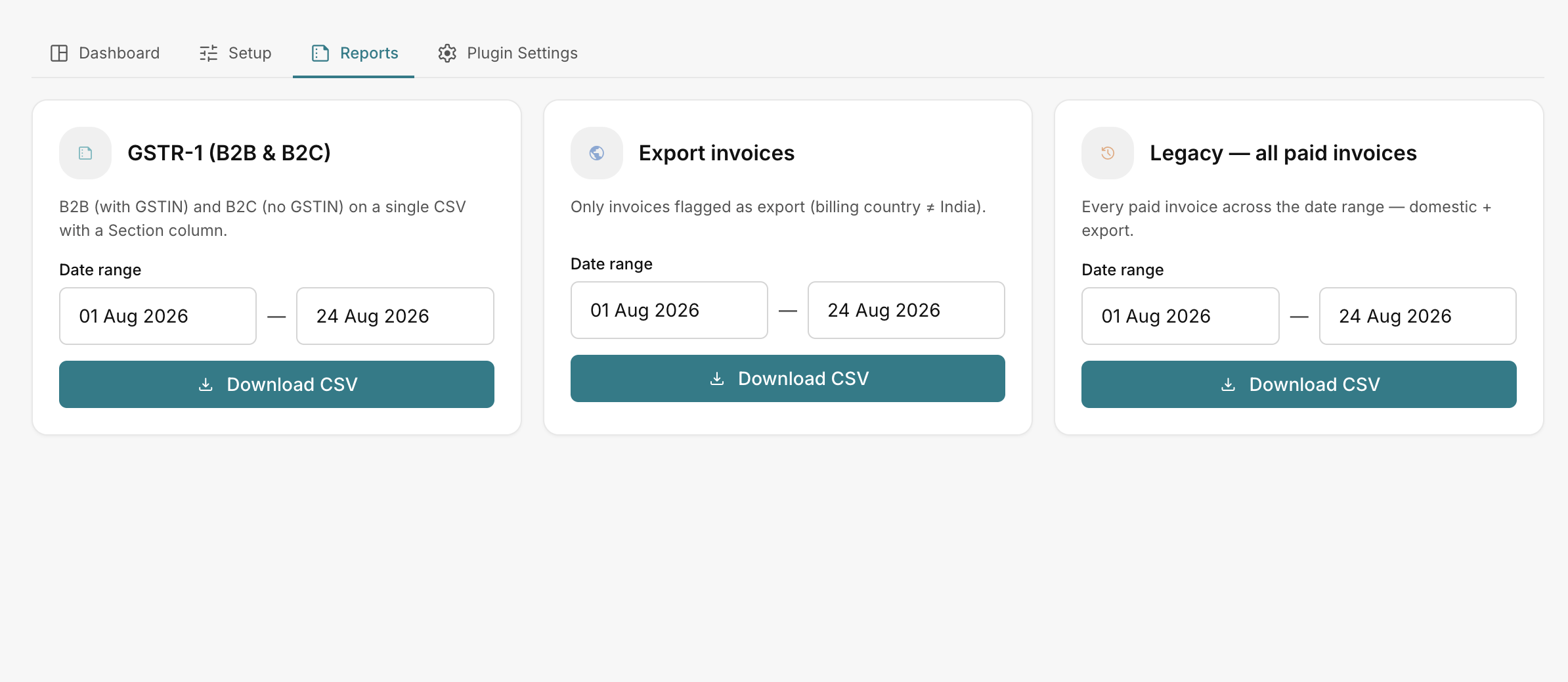 GST Manager → Reports
B2B vs B2C classification
- B2B invoices: Transactions where the customer provided a validated 15-character GSTIN.
- B2C invoices: Domestic transactions without a registered GSTIN.
Available report formats
Every report includes independent date-range pickers and a Download CSV action:
| Report | Description | Primary Use Case |
|---|---|---|
| GSTR-1 (B2B & B2C) | "B2B (with GSTIN) and B2C (no GSTIN) on a single CSV with a Section column." | Monthly or quarterly GSTR-1 return preparation. |
| Export invoices | "Only invoices flagged as export (billing country ≠ India)." | Export turnover verification and FEMA compliance. |
| Legacy — all paid invoices | "Every paid invoice across the date range — domestic + export." | General ledger auditing and comprehensive tax reconciliation. |
Report selection criteria
Choose the appropriate report based on your task:
- GSTR-1 (B2B & B2C): Use for standard tax returns. The Section column categorizes line items into 4A (B2B) and 7 (B2C) filing tables automatically.
- Export invoices: Use when auditing zero-rated international transactions or cross-border revenue.
- Legacy — all paid invoices: Use for internal accounting to reconcile total sales against bank statements.
Exporting report data
Follow these steps to generate tax reports:
- Navigate to GST Manager → Reports.
- Set the From and To date pickers to match your filing tax period.
- Click Download CSV on the target report card.
- Review the generated CSV file before importing into the GST offline tool or sharing with your accountant.
Complete filing workflow
For end-to-end instructions on filing portal returns, see File your GSTR-1.
Related pages
- File your GSTR-1 — step-by-step filing walkthrough
- Tax reconciliation dashboard — monitor tax liabilities
- GST classification — classification rules
- Export invoices — export numbering configuration