
Appearance
Backup and restore
GST Manager automatically protects plugin data during updates:
- Automatic snapshot: Takes a database snapshot of plugin tables before every in-place update.
- Safe rollbacks: Reverts changes automatically if an update fails.
- Isolated scope: Covers only GST Manager tables, never touching core AcelleMail tables.
Automatic snapshot before every update
Before an in-place update runs, GST Manager captures a database snapshot of its own tables. This snapshot ensures upgrades can be reversed cleanly.
View snapshots under GST Manager → Plugin Settings → Integrity & Updates:
- Snapshots list: Shows Version, Taken, and Size columns.
- Download option: Provides a Download button for manual retrieval.
- Retention policy: Keeps the N most recent snapshots and automatically purges older archives.
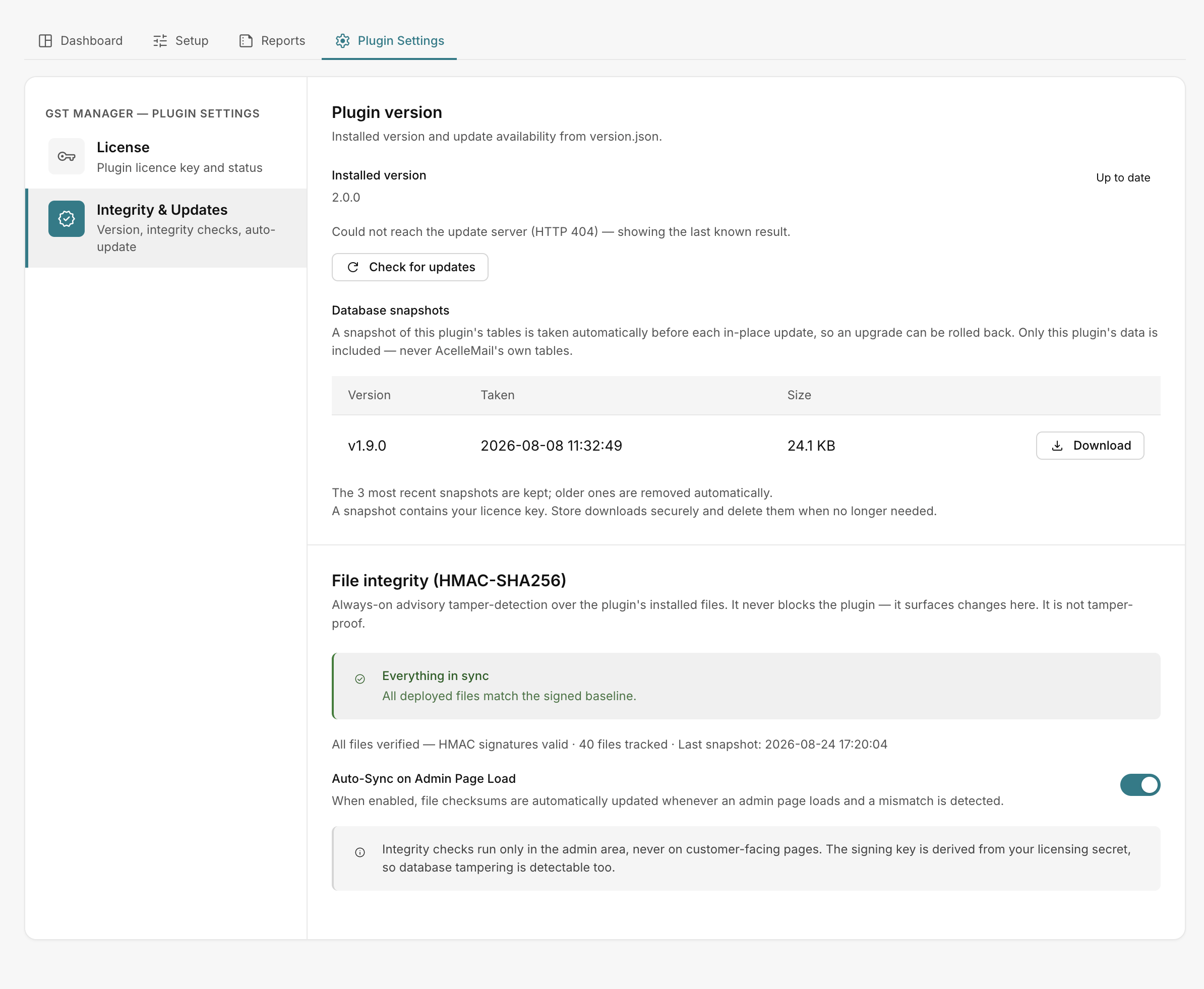 GST Manager → Plugin Settings → Integrity & Updates
Where snapshots are stored
Snapshots are written to storage/app/gstmanager-backups/:
- Location: Resides in
storage/, which sits outside the web root on standard AcelleMail installations. - Apache protection: GST Manager creates an
.htaccessdeny rule in the backup directory. - Backup scope: Covers plugin tables only. Continue running standard AcelleMail database backups for full system safety.
Nginx web access rule
Snapshots contain sensitive plugin data such as your license key. If you run nginx (which ignores .htaccess), add a server-level configuration block to deny direct HTTP access to storage/app/gstmanager-backups/.
Rolling back
Rollback behavior depends on the scenario:
- Automatic failure rollback: If an in-place update fails, GST Manager restores the pre-update snapshot automatically and remains on the previous working version.
- Manual recovery: Download the snapshot SQL file from the Integrity & Updates tab using the Download button to inspect or restore data manually.
For complete update workflows, see Updating.