
Appearance
Feature flags and permissions
Every RelyAI capability is an individual switch. This guide covers enabling and disabling each one, the defaults, pairing agent chat with its tools, and the permissions matrix.
What a feature flag is
An on/off switch for a single AI capability. Turning one off hides its surface (chatbox bubble, page pill, coach chip) — the feature simply stops appearing.
Turn capabilities on or off
RelyAI → Settings → Feature Flags — each row is a capability with a toggle; flip it and save. Safe read-only helpers ship on; anything that can change data ships off.
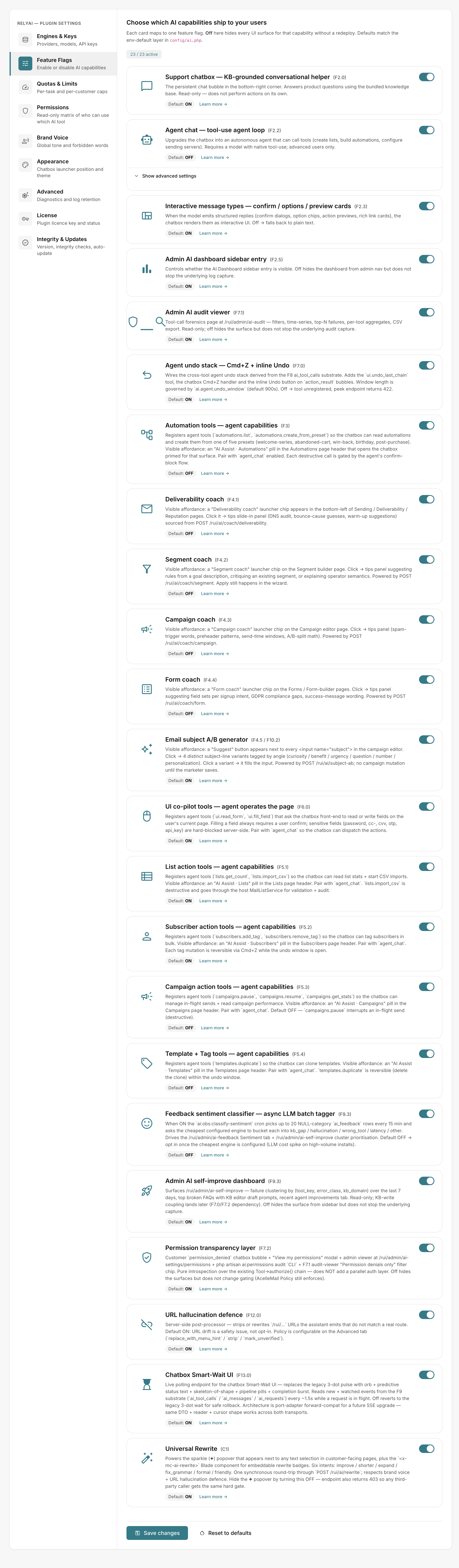 RelyAI → Settings → Feature Flags
What ships on and off
| Default | Capability | Notes |
|---|---|---|
| On | Support chatbox | Bottom-right bubble; answers from the KB, read-only. See The chatbox. |
| On | Universal rewrite, subject A/B generator | Text helpers; nothing changes until you accept a suggestion |
| On | List & subscriber action tools | Read list stats, import from CSV, bulk tag/untag |
| On | Observability | Usage, audit and related admin surfaces |
| Off | Agent chat | Upgrades the chatbox into an action-taking agent (needs a tool-capable model) |
| Off | Campaign, template & automation tools | Pause/resume campaigns (pausing interrupts a live send), duplicate templates, create automations from presets |
| Off | The four coaches | Deliverability, segment, campaign, form. See Coaches. |
Pairing agent chat with its action tools
Agent chat acts as the master switch for executing actions across the platform:
- Tool activation: Requires enabling both Agent chat and the specific action tool (e.g. automations or campaign tools).
- Contextual pills: Enabled tools display an AI Assist pill directly on relevant workflow pages.
- Safety controls: Destructive actions require user confirmation and support one-tap undo during the active window.
See Agent tools.
The Permissions tab
RelyAI → Settings → Permissions shows a read-only matrix of who can use which AI tool. Customers can open their own View my permissions modal.
Introspection only
The matrix shows what's allowed — it does not change it. AcelleMail's own access policy is what's enforced; the matrix just makes it transparent.