
Appearance
Licensing
RelyAI features and updates are controlled by domain-bound licensing:
- Feature unlock: Authorizes all AI processing (chatbox, rewrite, coaches, agent tools).
- Update access: Governs entitlement to automated in-app updates.
- Domain binding: Locks license credentials securely to your specific host and installation path.
The two license types
| Type | What you get | Updates |
|---|---|---|
| Leased | Works while the license is active. | Updates included for as long as it stays active. |
| Lifetime | Perpetual use of the installed version — you own it forever. | Newer versions need an active Support & Updates plan. |
Your key's prefix tells you which you have: OWNED / LIFETIME keys are perpetual, while LEASED / MONTHLY / ANNUAL / TRIAL / FREE keys are time-limited.
The license-gated feature
All AI capabilities require an Active license status. When unlicensed, AI surfaces remain inactive and prompt administrators to enter a valid key:
- Domain-bound: Binds to your domain name, server IP address, and installation directory.
- Encrypted storage: Keys are stored encrypted in the database and displayed masked.
- Background verification: Verifies locally with offline tolerance for intermittent network drops.
- Re-activation: Click Re-activate on the License tab to refresh verification if needed.
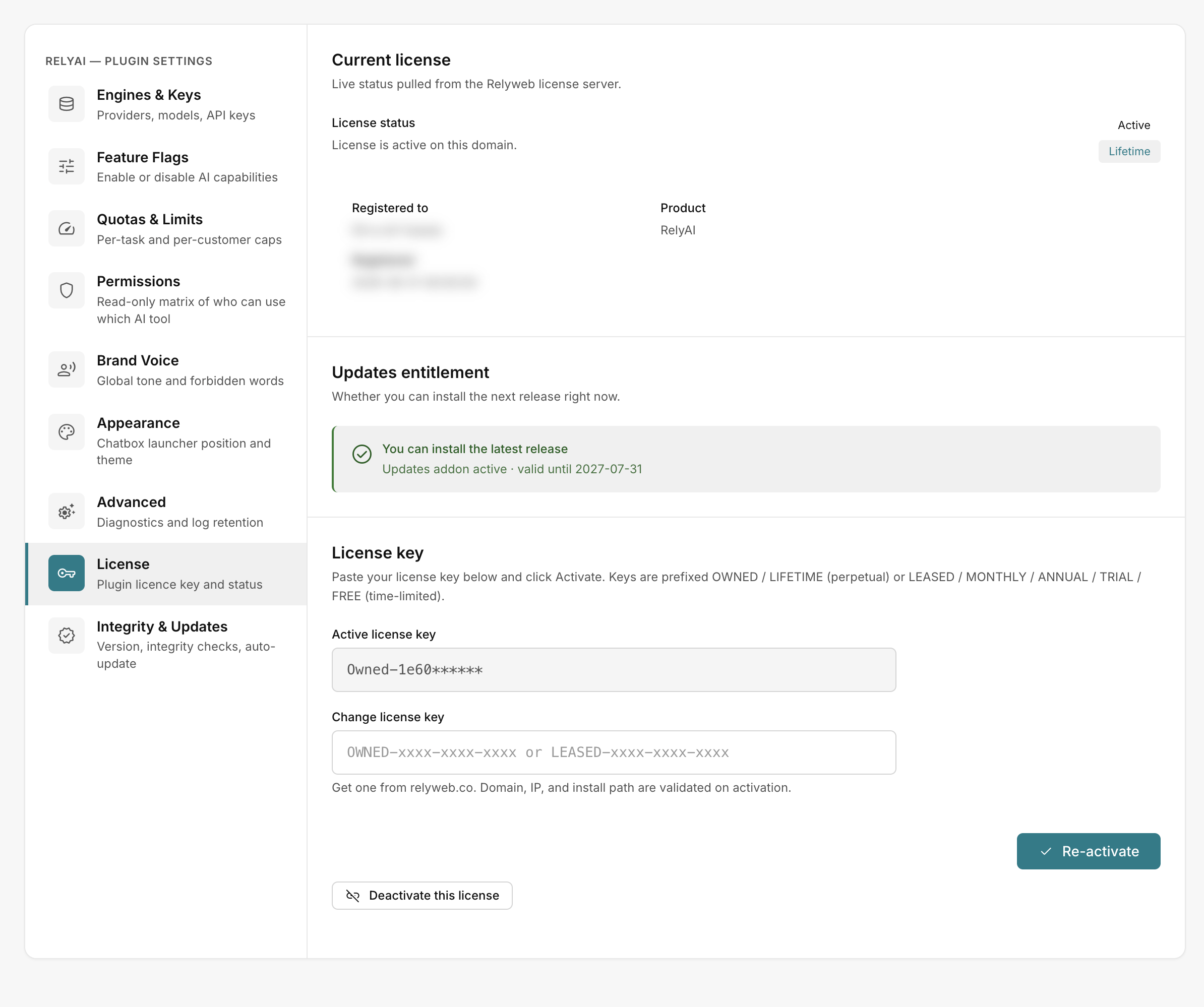 RelyAI → Settings → License
Where to enter and manage your key
Manage keys under RelyAI → Settings → License:
- Activate: Validate and bind a new license key to this domain.
- Re-activate: Re-verify the existing key if status drops.
- Deactivate this license: Release the license from this domain to transfer it to a different server.
The panel also displays your License status, Registered to, Product, Registered date, and Next due date.