
Appearance
Connect an engine
Add an AI engine (provider + model + key), test it, and set a default. You can add several engines and switch the default at any time.
Prerequisites: an Active license and an API key from your chosen provider.
Engine architecture
An engine pairs a specific provider with a model (e.g. OpenAI GPT-4o mini):
- Default engine: Receives and processes all incoming AI requests.
- Standby engines: Additional enabled engines remain available for immediate promotion.
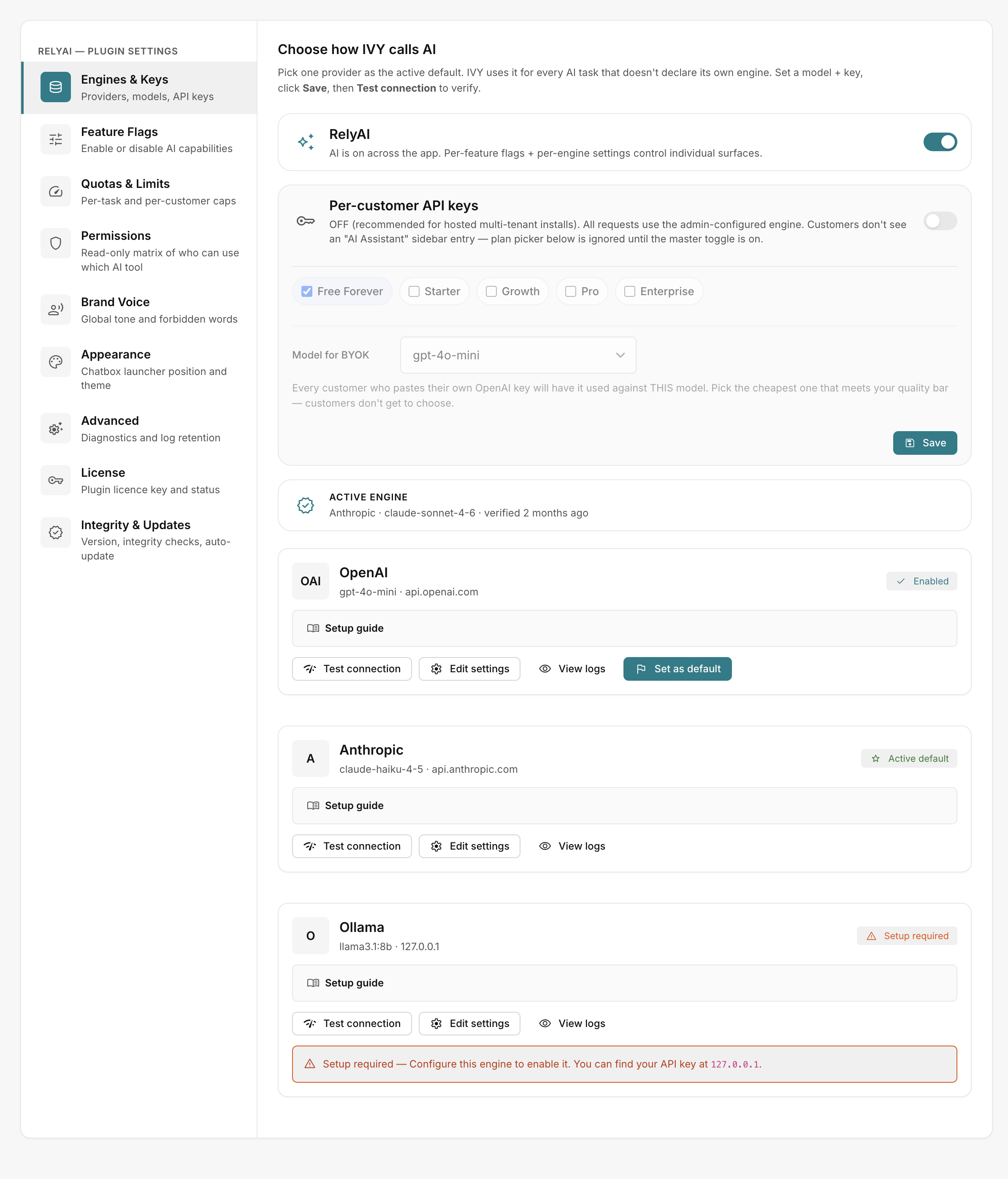 RelyAI → Settings → Engines & Keys
1. Add an engine
RelyAI → Settings → Engines & Keys → Add Engine. Fill in:
| Field | Notes |
|---|---|
| Name | Label you'll recognise, e.g. "OpenAI GPT-4o" |
| Provider | OpenAI, Anthropic or Ollama |
| Model | Model ID for that provider (see below) |
| Max Tokens | Response length ceiling |
| API key | Placeholder sk-… / sk-ant-… / (leave blank for Ollama); leaving blank on edit keeps the existing key |
2. Get a key for your provider
| Provider | Where to get the key | Models |
|---|---|---|
| OpenAI | platform.openai.com → API keys → Create new secret key → copy sk-… | gpt-4o-mini (fast/low-cost default), gpt-4o, gpt-5, gpt-5-mini, gpt-3.5-turbo |
| Anthropic | console.anthropic.com → Settings → API keys → copy sk-ant-… | Claude Opus, Sonnet, Haiku families; claude-haiku-4-5 a good low-cost default |
| Ollama | Start locally with ollama serve, set Base URL (e.g. http://127.0.0.1:11434), leave the key blank; for Ollama Cloud paste the dashboard key | llama3.1:8b (good default), llama3.1:70b, mistral:7b, qwen2.5:7b, qwen3:8b |
Ollama runs open-weight models with zero per-token cost when self-hosted.
3. Test the connection
Click Test Connection:
- Success: Displays "Testing…" then "Connection successful".
- Troubleshooting: Verify API key syntax, model IDs, and Base URL accessibility (for Ollama).
4. Set a default
Click Set as Default on your primary engine:
- Routing: All AI operations route immediately to the designated default engine.
- Standby engines: Other engines remain saved and available for quick switching.
System key vs customer keys
Configure API billing ownership:
- System key: Set on the engine and used by default for all user requests.
- Customer keys: Enable Allow customers to use their own API key so users enter personal keys under Account → AI and consume their own provider quotas. See Quotas, limits and credits.