
Appearance
Backup and restore
RelyAI automatically snapshots its configuration before every in-place update. If an update fails, your engines, API keys, and feature flags remain safe.
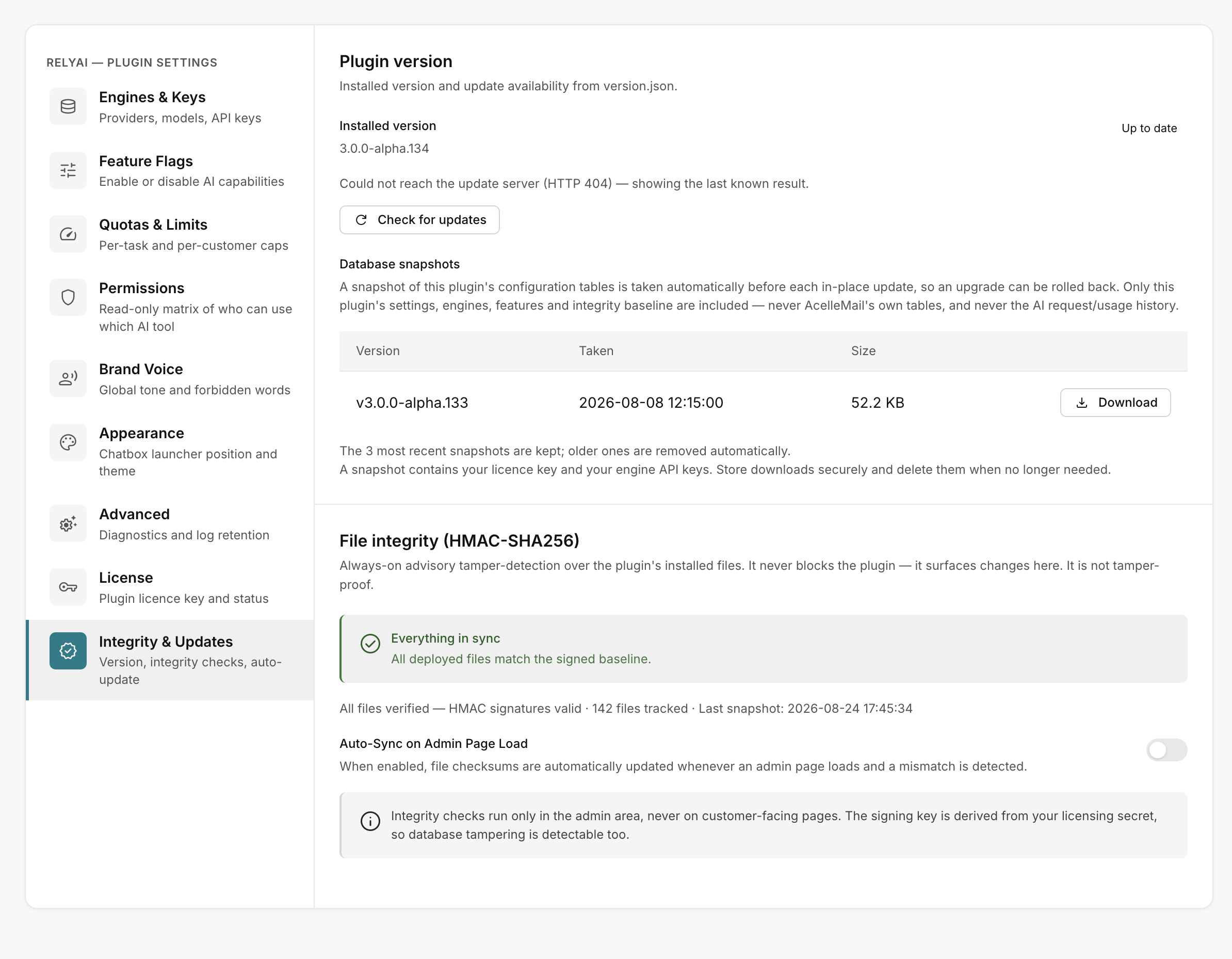 RelyAI → Settings → Integrity & Updates
Automatic snapshot before every update
Before applying updates, RelyAI snapshots only its own configuration tables:
- Included: Settings, engine configurations, API keys, feature flags, and integrity baseline.
- Excluded: AcelleMail core database tables and AI request/usage history.
Snapshots display under Database snapshots on the Integrity & Updates tab with Version, Taken, Size, and a Download link.
- Retention: RelyAI keeps the three most recent snapshots.
- Auto-pruning: Older snapshots are purged automatically.
Where snapshots are stored
Both configuration snapshots and code backups live in storage/app/relyai-backups/.
Protect snapshot files
Snapshots contain your license key and engine API keys.
- Apache: RelyAI creates a
denyrule in the backups directory automatically. - Nginx: Add a server-level block rule for
storage/app/relyai-backups/since Nginx ignores.htaccess.
On standard AcelleMail installs, storage/ resides outside the web root. Confirm this layout on your server.
Maintain standard AcelleMail backups
RelyAI snapshots exclude AI request and usage history. Continue running standard database backups to preserve complete conversation and audit records.
Rolling back
Choose from two rollback methods:
- Automatic on failed update: If an update fails, RelyAI restores the previous version and configuration automatically. See Updating.
- Manual from snapshot: Download a snapshot from Database snapshots and import it into your database.
Related pages
- Updating — Pre-update snapshot and rollback workflow
- File integrity — Baseline verification and auto-sync
- Uninstalling — Data retention and complete removal
- Settings reference — Configuration fields preserved by snapshots