
Appearance
File integrity
File integrity monitors your installation against unauthorized or incomplete file modifications:
- Signed baseline: Maintains an HMAC-SHA256 checksum baseline of all RelyAI plugin files.
- Change detection: Identifies unexpected modifications, incomplete uploads, or file corruption.
- Advisory visibility: View current status under RelyAI → Settings → Integrity & Updates.
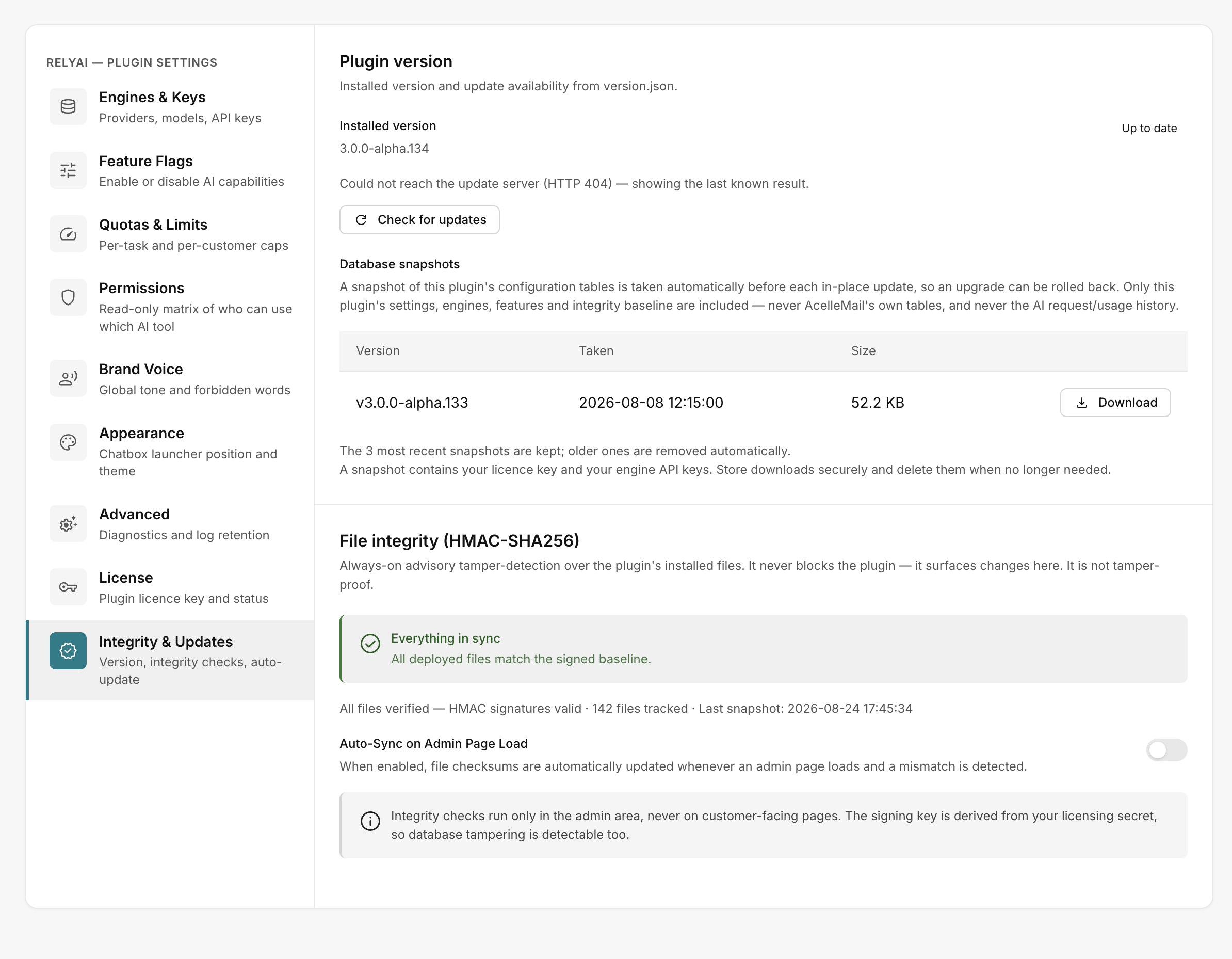 RelyAI → Settings → Integrity & Updates
What the statuses mean
| Status | What it's telling you |
|---|---|
| Everything in sync | Files match the signed baseline — nothing to do |
| All files verified | HMAC signatures are valid |
| Sync required | Something differs from the baseline; the list shows what changed |
| n files tracked | How many files are covered, plus when the last snapshot was taken |
| No baseline yet | No checksum baseline has been recorded so far |
Auto-Sync on Admin Page Load
Enable Auto-Sync on Admin Page Load to automatically refresh the baseline upon admin access:
- Self-healing baseline: Establishes a fresh checksum baseline immediately following legitimate upgrades.
- Eliminates false alerts: Clears pending "Sync required" flags after planned file changes.
Operational characteristics
- Admin-only visibility: Integrity metrics and controls appear exclusively in the administrator interface.
- Non-blocking operation: Mismatches generate advisory warnings without locking features or stopping execution.
- Advisory signal: Acts as an operational indicator rather than an immutable cryptographic lock.
Related pages
- Updating RelyAI — updates verify and re-baseline files as they apply
- Backup and restore — the snapshot taken before every update