
Appearance
Licensing
Relyagent supports two license types with full feature parity, differing only in update eligibility and duration models.
What is MCP?
The Model Context Protocol (MCP) is an open standard that lets AI assistants call external tools. Relyagent turns your WHMCS into one of those tool providers.
The two license types
| Type | What you get | Updates |
|---|---|---|
| Leased | Works while the license is active. | Updates included for as long as it stays active. |
| Lifetime | Perpetual use of the installed version — you own it forever. | Newer versions need an active Support & Updates plan. |
The license-gated feature
The MCP server component is license-gated:
- Inactive license behavior: endpoints return HTTP 403 Forbidden.
- Client impact: AI clients cannot establish connections or execute tools until an active key is present.
License checks execute locally via background caching:
- Outage resilience: temporary licensing server downtime does not disrupt active client sessions.
- Key renewal: updating or renewing your license key instantly restores MCP endpoint access.
Where to enter and manage your key
Go to Addons → Relyagent → Settings → License.
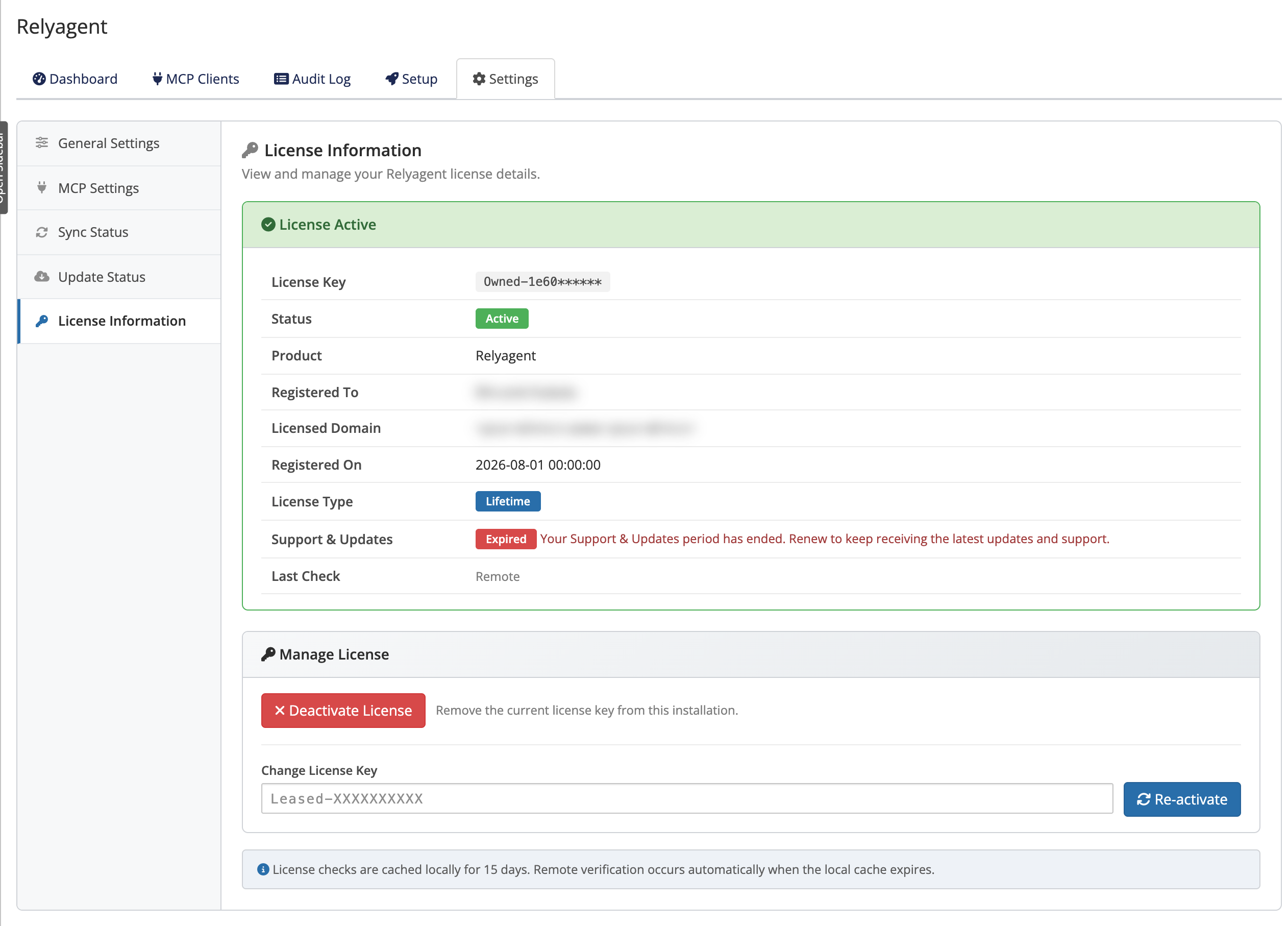 Addons → Relyagent → Settings → License
- Status view: displays the current license type and Support & Updates expiration date (Lifetime).
- Key entry: paste your license key (formatted as
Leased-XXXXXXXXXXorLifetime-XXXXXXXXXX) and save. - Unlicensed state: displays a No License Configured alert until activated.
Related pages
- Updating — how Support & Updates affects new versions
- Backup and restore — what's kept when you update
- Error reference — the human-visible license and update messages