
Appearance
Connections & OAuth
A connection links an AI client to WHMCS via Addons → Relyagent → MCP Clients. There is no self-registration: clients require an administrator-issued Client ID and Client Secret. OAuth manages the secure sign-in and authorization flow.
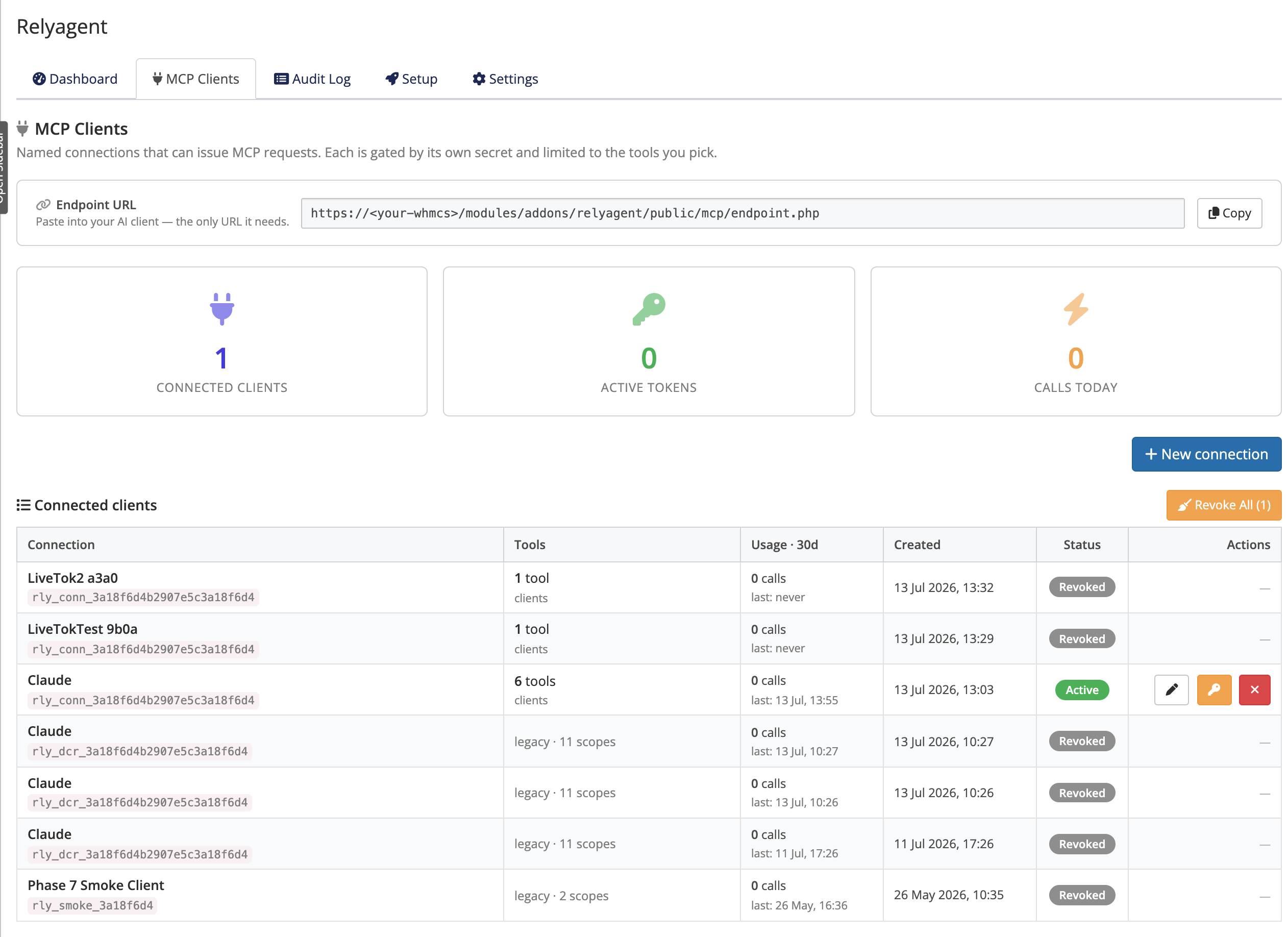 Addons → Relyagent → MCP Clients
Creating a connection
Configure a new connection in three steps:
- Name and tools: click New connection, specify a name (e.g. "Claude — Production"), and tick Allowed tools.
- Issue credentials: saving generates an OAuth Client ID and Client Secret (the secret is shown only once; copy immediately).
- Configure client: paste the Endpoint URL, Client ID, and Client Secret into the AI client's connector settings.
The Endpoint URL is persistent and the same for every connection, with a Copy button:
https://<your-whmcs>/modules/addons/relyagent/public/mcp/endpoint.phpThe OAuth flow
With the Endpoint URL, Client ID and Client Secret, connecting runs an OAuth 2.0 authorization-code flow with PKCE:
- Endpoint discovery: the client resolves authorization and token endpoints from the Endpoint URL.
- Secret verification: token requests require the connection's Client Secret.
- Admin authentication: operators sign in via the native WHMCS admin login (2FA and IP rules enforced).
- Tool consent: the admin approves the consent screen displaying allowed tools.
From then on the client sees only that connection's tools, and any other tool call is rejected.
 Consent screen shown after the WHMCS admin login
Changing a connection safely
Editing which tools a connection may use follows a secure edit model so a change can never silently widen access:
- Removing tools: takes effect immediately; the client loses invocation rights instantly.
- Adding tools: requires reconnection and re-consent; existing tokens revoke automatically until approved.
Why reconnect on add?
Consent is tied to the exact tools a client was granted. Requiring a fresh consent when access grows means an AI client can never gain new abilities without you signing in and approving them.
Regenerate secret and revoke
Each connection has its own actions:
- Regenerate secret: issues a new Client Secret; invalidates the old secret immediately and requires client reconnection.
- Revoke: permanently deletes the connection and blocks all further access.
TIP
For step-by-step setup of a specific AI client, use the connection guides — start with Claude Desktop. To review what each connection actually did, see the Audit Log.