
Appearance
Audit log & rate limits
Relyagent records what your connected AI clients do and caps how fast they can do it — accountability and protection with no extra setup.
The Audit Log
The Audit Log tab records one row per tool call — every time a connected AI client runs a tool, success or not. Open it under Addons → Relyagent → Audit Log.
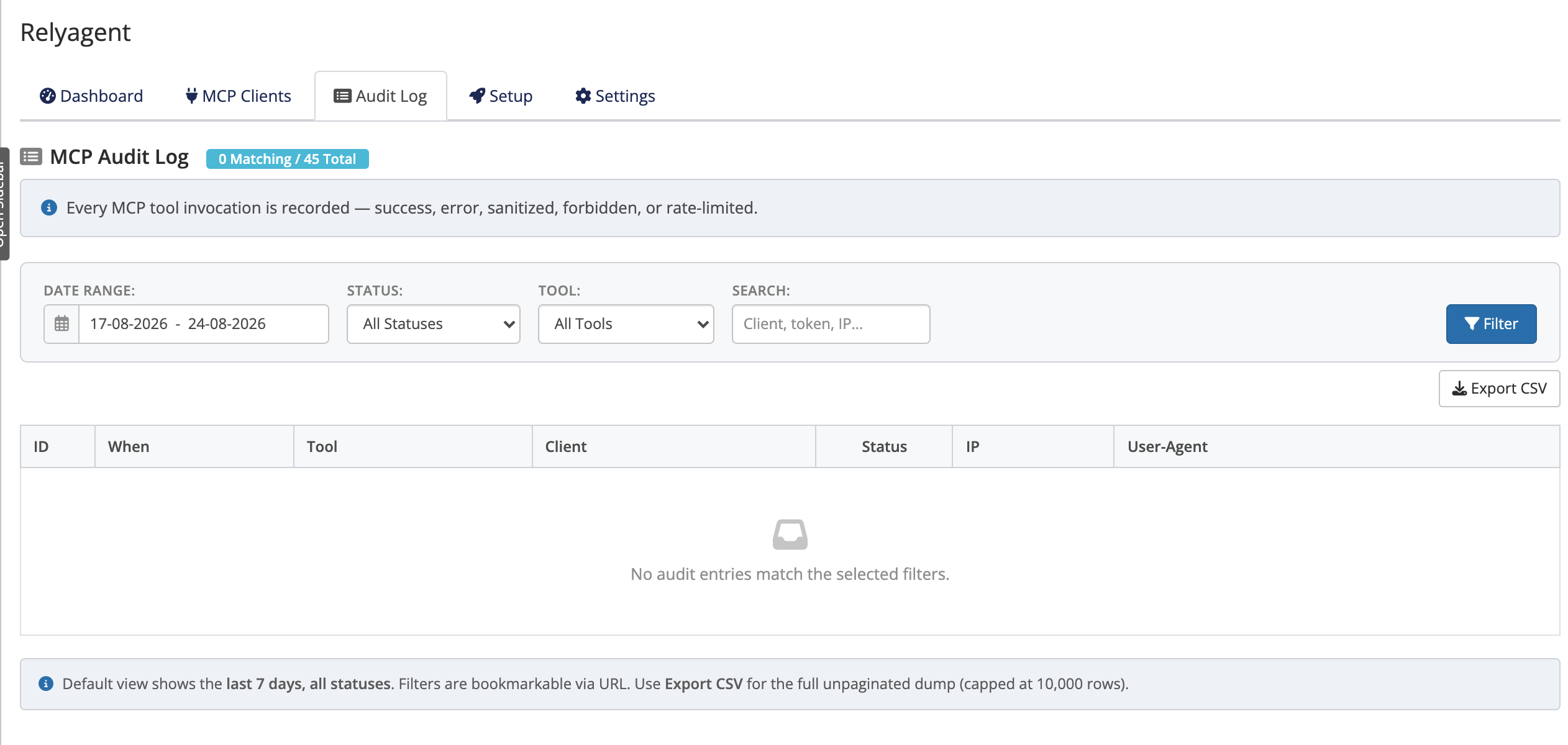 Addons → Relyagent → Audit Log
Statuses
Each row has a status that tells you exactly what happened:
- Success: tool executed and returned data normally.
- Error: tool executed but encountered an unhandled runtime failure.
- Sanitized: prompt-injection filter modified tool output to strip manipulative content.
- Forbidden: blocked by a security gate (missing scope, disabled tool group, or inactive dangerous operations).
- Rate Limited: refused due to exceeded per-minute or per-day rate caps.
Filters and export
Filter and export audit records directly from the interface:
- Filters: narrow by date range (defaults to 7 days), status, tool, or free-text search (client, token, or IP).
- Export: click Export CSV to download the active filtered dataset for external analysis.
TIP
A run of Forbidden rows usually means a connection is missing a tool, a group is off, or the dangerous-operations gate is blocking a write. See MCP tools.
Rate limits
Rate limits protect your WHMCS from a runaway or misbehaving client. They are enforced per token (that is, per connected client) and configured under Settings → MCP Settings:
- Calls / minute — default 60, with a hard cap of 10,000.
- Calls / day — default 5000.
Calls exceeding either threshold receive an HTTP 429 response and are logged with a Rate Limited status. Adjust thresholds in Settings → MCP Settings if legitimate traffic reaches these limits.
Accurate client IPs behind a proxy
If your WHMCS sits behind a reverse proxy or CDN you control, enable Settings → General → Trust X-Forwarded-For Header so audit rows capture the real client IP instead of the proxy's. Leave it off otherwise.