
Appearance
Updating
GeoSync Pro supports one-click in-app updates with automated pre-update backups. This guide covers one-click updates, automatic daily checks, manual installations, and Lifetime license entitlements.
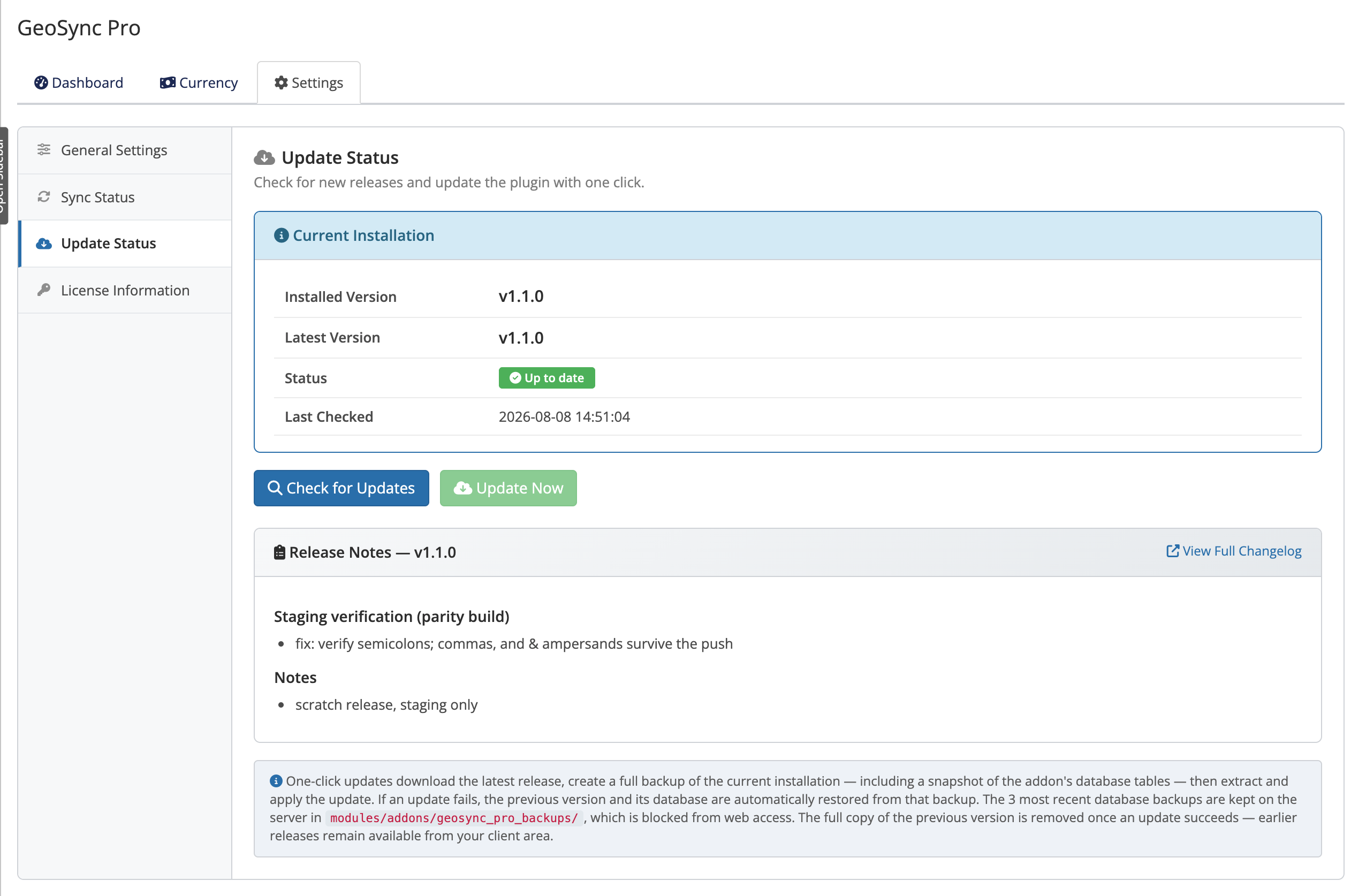 Addons → GeoSync Pro → Settings → Update Status
One-click update
- Open Addons → GeoSync Pro → Settings → Update Status to view your installed version.
- Click Check for Updates to view the latest release notes.
- Click Update Now. GeoSync Pro creates a backup, downloads the release, applies changes, and reloads.
TIP
Every one-click update takes an automatic backup before it changes anything, and restores automatically if something goes wrong. See Backup and restore for details.
Automatic daily check
GeoSync Pro runs a daily background check and caches the result:
- Cached status: The Update Status panel displays new version availability instantly upon opening.
- Manual trigger: Click Check for Updates to refresh availability on demand.
- User control: Updates are only applied when you click Update Now.
Manual update
If you'd rather update by hand — for example, if outbound HTTPS from your server is restricted:
- Download the latest ZIP from the client area.
- Replace the
modules/addons/geosync_pro/directory on your WHMCS install with the new files. - Open Addons → GeoSync Pro so the module re-syncs its deployed files.
Lifetime and Support & Updates
- Leased: Includes continuous updates while the license remains Active.
- Lifetime: Grants perpetual usage of installed versions. Upgrading to newer releases requires an active Support & Updates subscription. If lapsed, the current version continues working, but Update Now is disabled until renewed.
See Licensing for how the license types differ.
If an update won't apply
Common causes for disabled or failed updates:
- Lapsed Support & Updates: Lifetime licenses require an active maintenance period to upgrade.
- Network restrictions: Outbound HTTPS blocks prevent downloading the release package.
- Storage/Permissions: The pre-update backup cannot be created.
If an update fails, GeoSync Pro restores the pre-update backup automatically. Refer to Error reference and Troubleshooting for troubleshooting steps.
Related pages
- Backup and restore — the backup, restore, and rollback story
- Licensing — how your license type affects updates
- Troubleshooting — resolving update problems