
Appearance
Analytics
The Dashboard tab shows how currency localisation is performing for real visitors — without keeping any personal data.
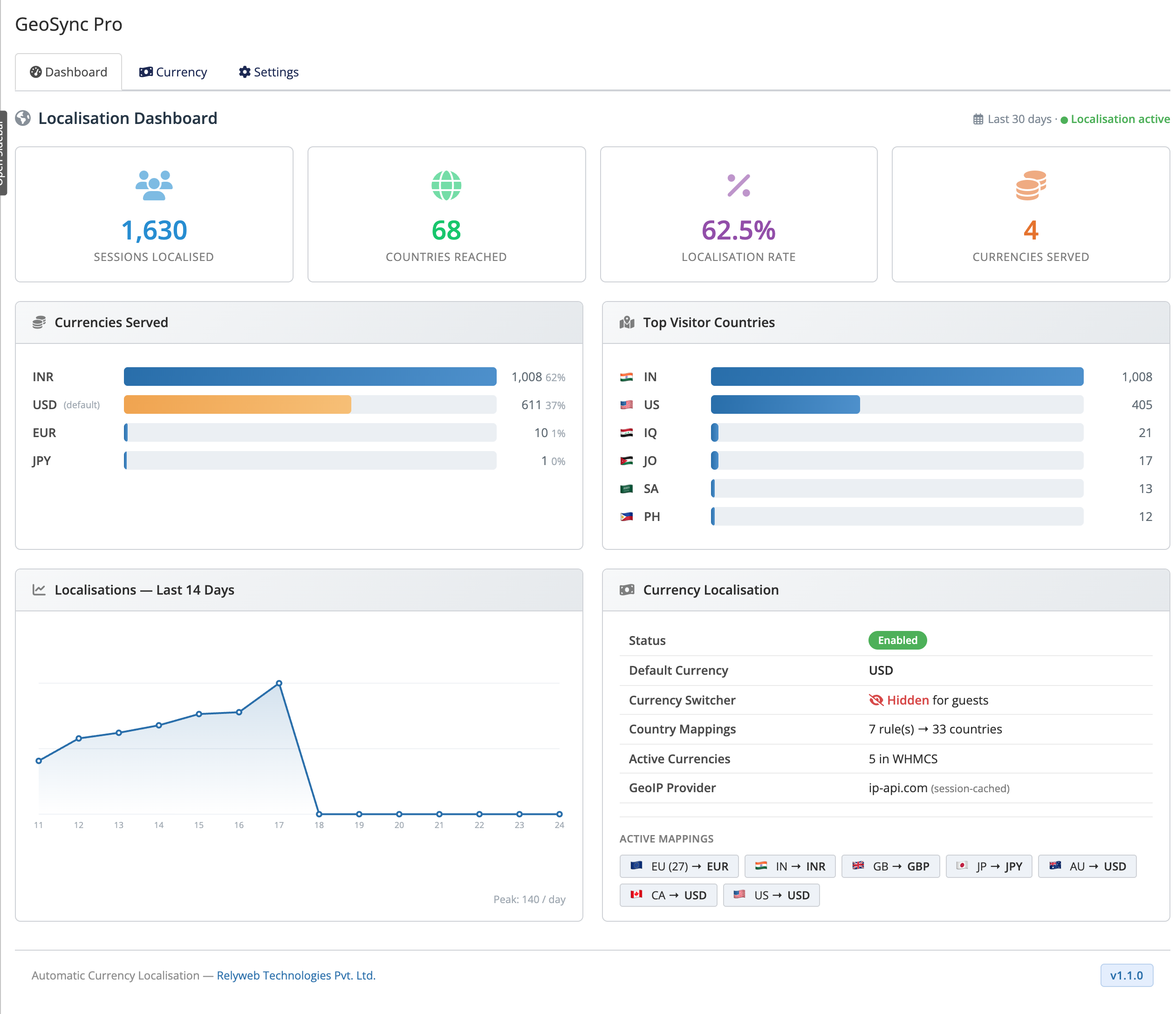 Addons → GeoSync Pro → Dashboard
What the dashboard shows
- Sessions localised — how many guest visits were served a currency based on their country.
- Countries reached — how many distinct visitor countries you served.
- Localisation rate — percentage of guests served a matched non-default currency instead of the fallback default.
- Currency distribution — a breakdown of which currencies were served, and how often.
- Top visitor countries — the countries sending you the most localised traffic.
- 14-day trend — a chart of localisation activity over the last two weeks.
Privacy model
GeoSync Pro is privacy-first by design. It stores only anonymous, aggregate per-day counts of (visitor country → served currency). No IP addresses, user IDs or personal data are ever kept.
What gets counted
- One count per guest session — repeat page loads within a session aren't double-counted.
- Guests on public IPs only — the same visitors that localisation applies to.
- Your own admin sessions and localhost/private IPs are never counted.
- No backfill — past visits from before you enabled the feature aren't added retroactively.
An empty panel on a fresh setup is normal
Fresh installs display zero data until new guest traffic arrives. Test in incognito on a public IP. If files were updated manually without reactivating, deactivate and reactivate once in Setup → Addon Modules to initialize tables.
Related
- Currency localisation — how detection and mapping produce these numbers.
- Configuration — enable the feature and set your mappings.