
Appearance
File integrity
GeoSync Pro verifies its own files and records so nothing has been accidentally changed or corrupted — and quietly repairs itself when it spots a problem.
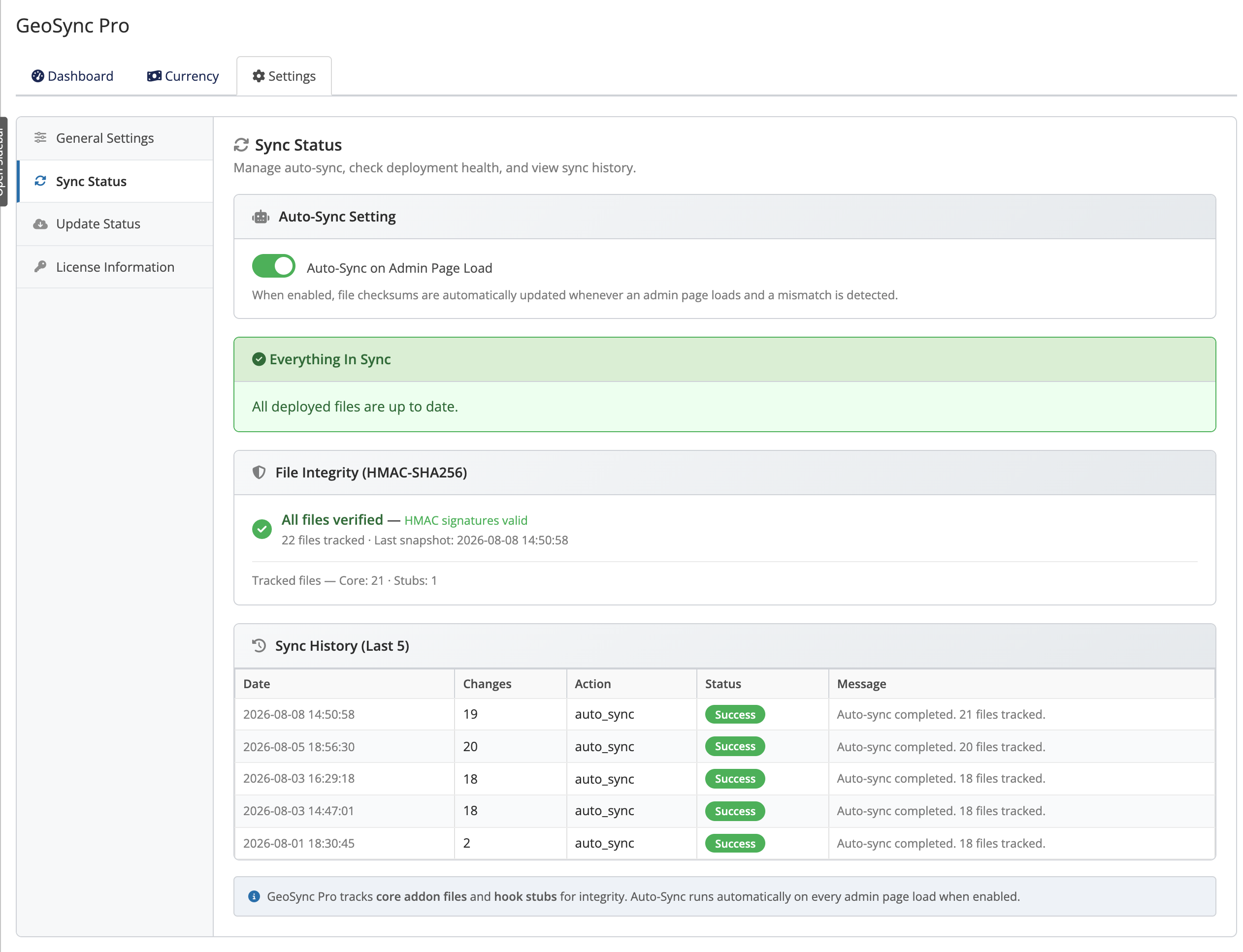 Addons → GeoSync Pro → Settings → Sync Status
Tamper detection you can trust
Every GeoSync Pro file has a secure fingerprint (an HMAC-SHA256 checksum — a tamper-evident signature). Its key database records are signed the same way. That means GeoSync Pro can tell if:
- a file has been altered, damaged or is missing, and
- a database record has been changed outside the module.
A baseline of these fingerprints is created when you first activate GeoSync Pro, and refreshed after every sync — so the module always knows what "correct" looks like.
Auto-Sync: self-repair on page load
Opening any GeoSync Pro admin page triggers Auto-Sync verification:
- Checksum inspection: Validates files and database records against baseline HMAC-SHA256 signatures.
- Automated repair: Re-deploys or repairs damaged or missing files without requiring manual intervention.
Where to see it
The Sync Status panel shows the current deployment health and file-integrity status at a glance.
Sync history and manual sync
The Sync history table records each check and repair, with the Date, Changes, Action, Status and a short Message — so you can confirm everything is healthy or see what was fixed and when.
You can also run a check yourself at any time with the manual Sync control. On success you'll see the flash message "Sync completed successfully."
When to run a manual sync
After a manual file update, or if something looks off, open Addons → GeoSync Pro → Settings → Sync Status and run Sync to verify and repair in one step.
Related
- Configuration — where all your settings live.
- Settings reference — every option explained.