
Appearance
Set up subscriptions
The Razorpay Subscription gateway handles recurring subscriptions with automated renewal cycles for mapped plans.
- Prerequisites: Active plugin license; matching INR plan created in the Razorpay dashboard.
Plan mapping purpose
AcelleMail defines the local subscription tier, while Razorpay manages billing intervals and mandates. Mapping synchronizes the two systems.
Map the plan
- Navigate to Admin → Remote Plan Mappings.
- Locate your local AcelleMail plan in the table.
- Select the corresponding Razorpay plan with identical INR amount and interval.
- Click Map to activate the subscription gateway for that plan.
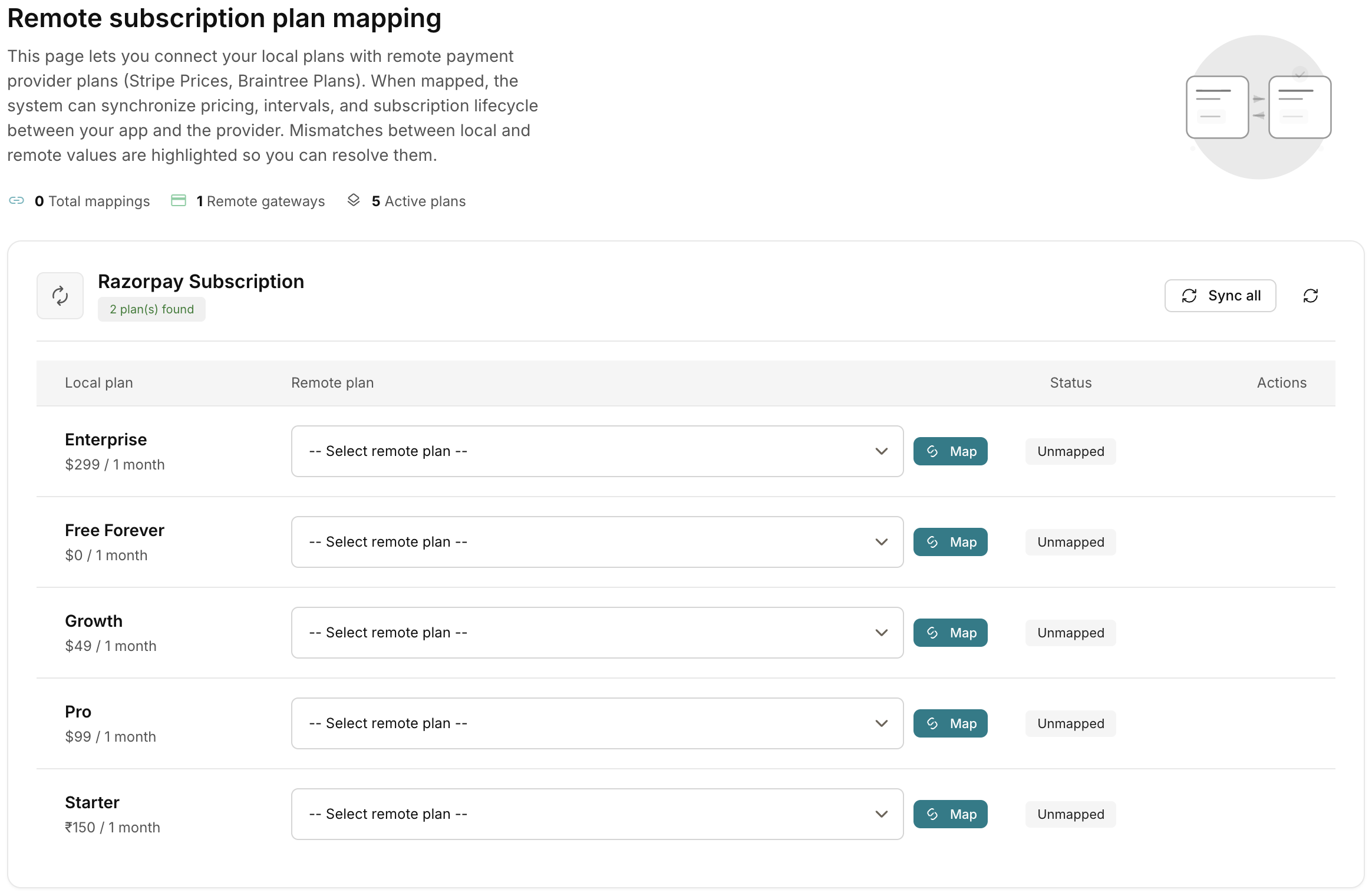 Admin → Remote Plan Mappings
Verify — what customers see
- Checkout selection: Subscribers choose Razorpay Subscription on INR-priced plans.
- Mandate approval: The subscriber authorizes a recurring payment mandate on Razorpay.
- Cycle renewals: Razorpay charges subsequent intervals automatically.
- Webhook processing: Signed webhooks notify AcelleMail to extend subscription access.
Mapping requirement
Unmapped or non-INR plans display "Razorpay Subscription — Not available for this plan". The direct Razorpay gateway requires no mapping.
Related pages
- Subscriptions — how recurring billing works
- Direct payment — the one-time gateway
- Configure webhooks — required for renewals
- Troubleshooting — subscription not available