
Appearance
Settings
Every option for both Cashfree gateways lives on Admin → Plugins → Cashfree → Settings (admin login required). Cashfree (direct payment) and Cashfree Subscription share everything here. For a guided walkthrough, see Configuration.
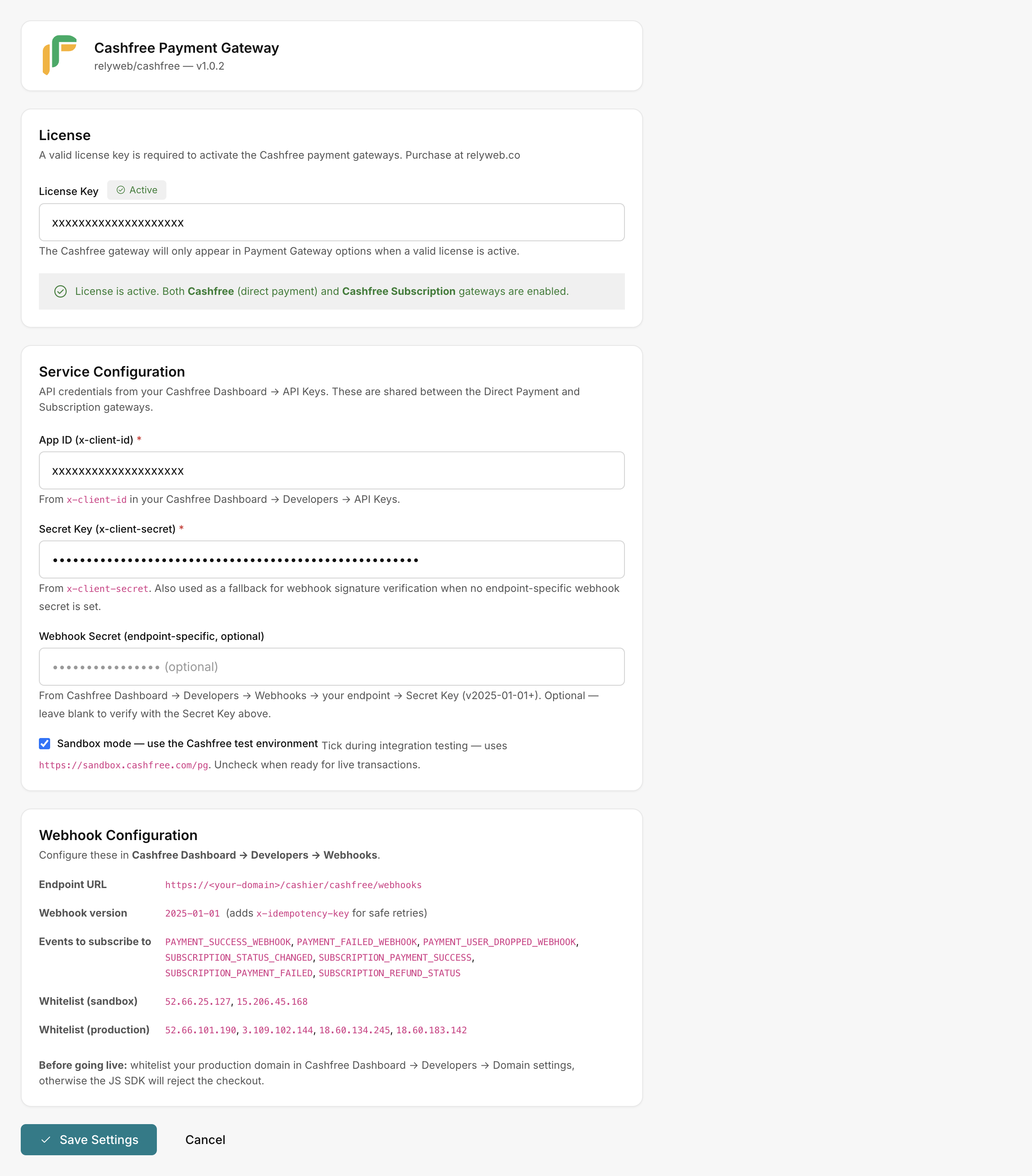 Admin → Plugins → Cashfree → Settings
License card
| Field | What it is |
|---|---|
| License Key | Your key from relyweb.co. Placeholder "Enter your license key from relyweb.co" |
Status badges:
| Badge | Meaning |
|---|---|
| Active | "License is active. Both Cashfree (direct payment) and Cashfree Subscription gateways are enabled." |
| Not configured | No key entered yet |
| Invalid — payment gateway is disabled | Neither gateway appears |
When inactive, settings display: "License is not active. Cashfree gateways will not appear in Payment Gateway options until a valid license is entered and saved."
The background license check caches state locally to tolerate transient network drops. See Licensing.
Service Configuration
Your Cashfree credentials, from Cashfree Dashboard → Developers → API Keys. Both gateways use them.
| Field | What it is |
|---|---|
| App ID (x-client-id) * | Your x-client-id. Placeholder "TEST... or your production App ID". Help: "From x-client-id in your Cashfree Dashboard → Developers → API Keys." |
| Secret Key (x-client-secret) * | Your x-client-secret (masked). Also fallback for webhook signature verification when no endpoint-specific webhook secret is set |
| Webhook Secret (endpoint-specific, optional) | From Cashfree Dashboard → Developers → Webhooks → your endpoint → Secret Key (v2025-01-01+). Blank verifies with the Secret Key |
| Sandbox mode — use the Cashfree test environment | Checkbox. Tick during testing (uses https://sandbox.cashfree.com/pg); untick for live |
The environment is set by the checkbox, not the key format
Use Test keys (App ID begins TEST) with Sandbox ticked; use Production keys with Sandbox unticked. See Get your API keys.
Webhook Configuration
A reference card of the values to paste into Cashfree:
| Item | Value |
|---|---|
| Endpoint URL | https://YOUR_DOMAIN/cashier/cashfree/webhooks |
| Webhook version | 2025-01-01 |
| Events | Payment and subscription events to subscribe to |
| IP whitelist | The Cashfree IPs to allow on port 443 |
Copy these into your dashboard as described in Configure webhooks.
Save Settings
Click Save Settings to apply. With an Active license, saving auto-creates both gateways in Admin → Payment Gateways — no manual "Add".