
Appearance
Direct Payment
The Cashfree gateway processes one-time invoice payments via Cashfree's Drop-in checkout:
- Payment methods: UPI, credit/debit cards, net banking, and wallets in a unified hosted sheet.
- Configuration: Configure credentials once in Plugin Settings to activate the gateway. For recurring billing, use the Cashfree Subscription gateway instead.
INR only
Cashfree processes domestic payments in Indian Rupees — only INR-priced invoices are eligible. No plan mapping is needed for direct payments; that applies only to subscriptions.
What the customer sees
The checkout experience follows three stages:
- Payment screen: Displays "Complete Your Payment" with a "Pay with Cashfree" button.
- Security footer: Confirmed by "Secured by Cashfree — UPI, Cards, Net Banking & Wallets".
- Drop-in sheet: Clicking the button launches Cashfree's hosted modal to select a payment option.
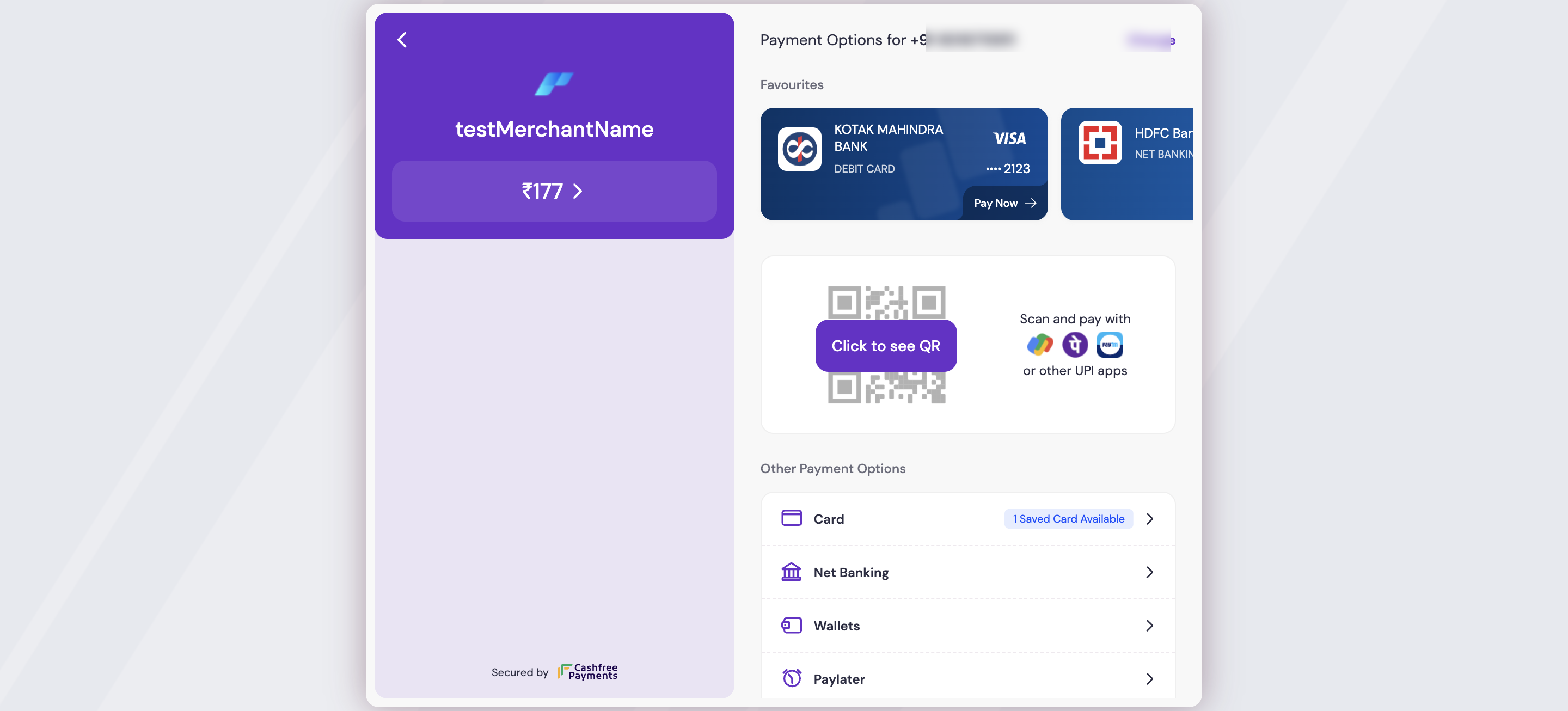 Admin → Payment Gateways → Cashfree
Because the sheet is hosted by Cashfree, card details are never entered on or stored by your server — they go straight to Cashfree.
How the outcome is confirmed
The payment result is always confirmed server-side. When the customer returns from Cashfree, the plugin does not trust the browser. Instead it:
- Re-fetches the order directly from Cashfree to read the authoritative status, and
- Waits for the signed webhook Cashfree sends to your endpoint.
Only when the server confirms a genuine success is the invoice marked paid. A tampered or prematurely-returned browser cannot mark an unpaid invoice as paid. See Security.
Set up webhooks
For confirmation to arrive reliably, add your endpoint in the Cashfree dashboard. Follow Configure webhooks.
Getting ready
- Enter App ID and Secret Key in Admin → Plugins → Cashfree → Settings.
- Enable Sandbox mode during staging, then click Save Settings.
- The Cashfree gateway appears automatically in Admin → Payment Gateways. See Configuration and Get your API keys.
Related pages
- Subscriptions — recurring billing with mandates
- Security — how outcomes and webhooks are verified
- Configure webhooks — add your endpoint
- Configuration · Settings reference
- Errors · Troubleshooting