
Appearance
Zoho OAuth setup
Connect WHMCS to your Zoho Payments account. Work top to bottom — each step feeds the next.
Prerequisites: the gateway activated (Installation) and access to the Zoho Developer Console for your data centre.
No Zoho account yet? Sign up for Zoho Payments first.
Match your data centre
Use the same Zoho data centre throughout: India uses api-console.zoho.in; US uses api-console.zoho.com. Set the matching Data Center (IN or US) in gateway settings.
1. Create a server-based OAuth app
In the Zoho Developer Console for your region, create a Server-based Application:
- Record the generated Client ID and Client Secret.
- Add the authorized redirect URI required by the helper link.
Keep the console tab open
You'll return here to re-generate the refresh token or check the redirect URI.
2. Enter Client ID and Client Secret in WHMCS
Setup → Payment Gateways → Zoho Payments → paste the Client ID and Client Secret → Save Changes. Saving first is required so the helper link can use them.
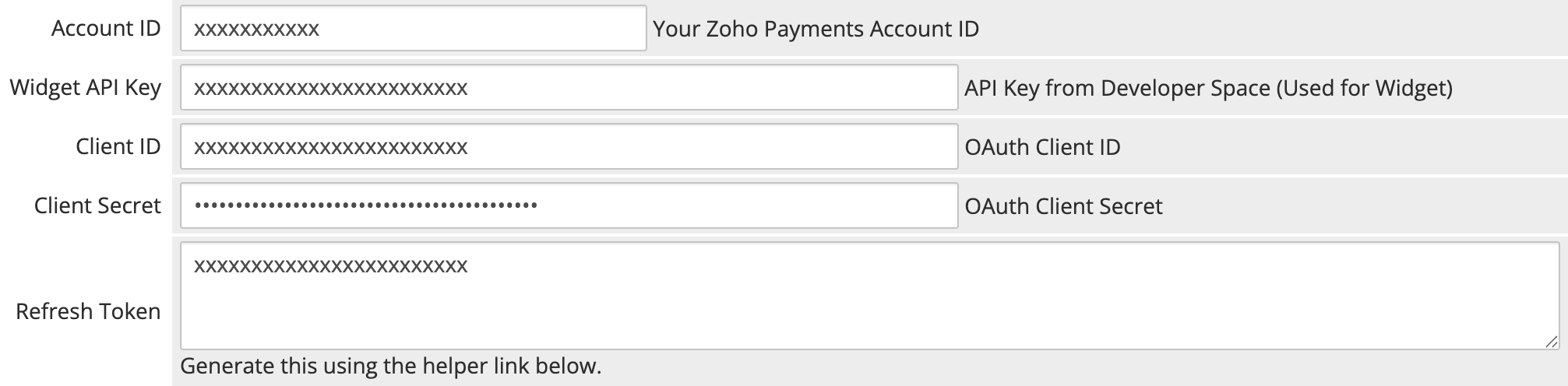 Setup → Payment Gateways → Zoho Payments
3. Generate the refresh token
- Click the "Click Here to Generate Token" helper link.
- Authorise the app with Zoho when prompted.
- Paste the returned token into Refresh Token.
- Click Save Changes.
The gateway automatically refreshes access tokens without requiring re-authorization.
Token errors?
Verify Client ID and Client Secret, confirm the redirect URI is registered in the Developer Console, and ensure Data Center matches your console region.
4. Add your Account ID and Widget API Key
Enter your Account ID and Widget API Key from the Zoho Developer Space. These credentials initialize the checkout widget.
5. Register the webhook
In your Zoho Payments dashboard, add a webhook with:
- Webhook URL:
https://yourdomain.com/modules/gateways/zohopayments/webhooks/paylink_webhook.php - Events: Payment completed and Payment Link paid
Copy Zoho's webhook secret into the Webhook Secret field in WHMCS → Save Changes. Full detail: Webhooks and Payment Links.
Verify
Turn on Test Mode and run a test payment. When it works end to end, follow the going live guide.